🧺
Harvest & Preservation
Log harvests with yields, track food preservation (canning, fermenting, dehydrating), manage your seed library, and measure self-sufficiency.
📝Logging Harvests
- From the Home screen, scroll to Quick Actions and tap "Log Harvest."The Log Harvest button has a gold basket icon. You can also access the harvest log from an individual plant's profile.
- Enter the crop name (e.g., Tomato, Basil, Zucchini).This is the only required field. Type the name of what you harvested.
- Optionally enter the variety (e.g., Cherokee Purple, Sweet Genovese).
- Enter the quantity and select a unit.Choose from: lbs, oz, count, bunches, bushels, gallons, kg, or g. Tap the unit chips to switch between them.
- Select a quality rating: Excellent, Good, Fair, or Poor.Quality ratings are color-coded — green for Excellent, olive for Good, gold for Fair, red for Poor.
- Add optional notes about flavor, conditions, or storage plans.
- Tap "Save Harvest" to record it.
💡
Log harvests as they happen, even small ones. Accurate yield data over multiple seasons is the most valuable information for improving your garden year over year.
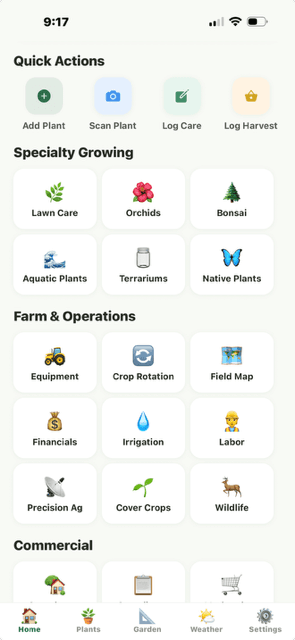
Home screen Quick Actions showing Log Harvest button
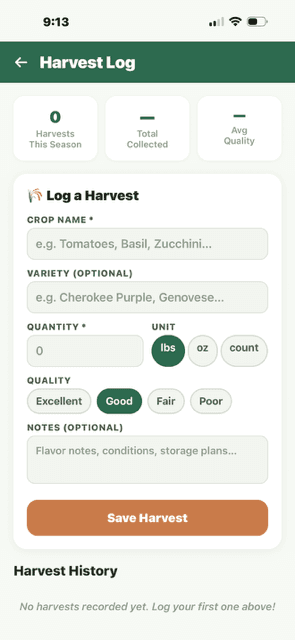
Harvest Log form with crop name, variety, quantity, quality
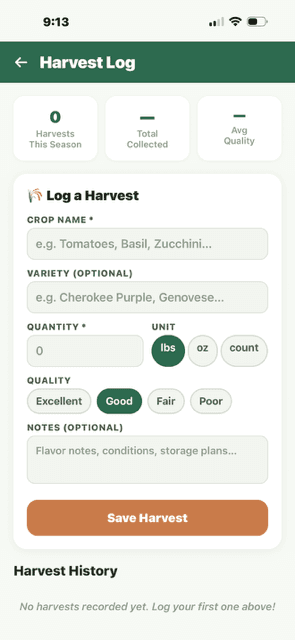
Log a Harvest form with crop name, variety, quantity/unit, quality selector, notes, Save button
📊Harvest History
Below the log form, the Harvest History section shows all your recorded harvests sorted by date (newest first). Each entry shows the crop name, variety, quantity with unit, date, quality badge, and your notes. The top of the screen displays season stats: total harvests, total collected, and average quality.
- Season stats bar: Harvests This Season, Total Collected, Avg Quality
- Each harvest card shows: crop — variety, quantity, date, quality badge (color-coded), notes
- Remove button on each entry to delete incorrect records
- Harvests logged from the home screen appear under "general" — harvests logged from a plant profile are linked to that specific plant
💡
When opened from the Home screen, you see ALL harvests across all plants. When opened from a specific plant's profile, you see only that plant's harvests.
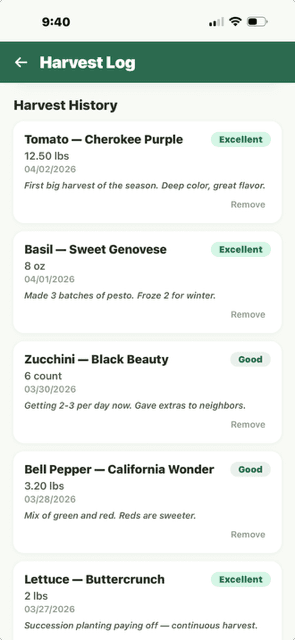
Harvest History showing tomato, basil, zucchini, peppers, lettuce entries
🫙Food Preservation
- Go to Progress and tap "Preservation Log."
- Tap "+ New Batch" and select the preservation method.Methods include: Water Bath Canning, Pressure Canning, Fermenting, Dehydrating, Freeze-Drying, Freezing, Pickling, and Smoking.
- Enter the batch details: recipe name, ingredients, quantity, and processing date.
- For canning, enter processing time, pressure (if pressure canning), and jar size.Verdix stores USDA-approved processing times and flags any deviations from recommended practices.
- Add an expiration date and storage location.Verdix sends reminders when preserved items are approaching their recommended use-by date.
💡
Always follow USDA or tested canning recipes for safety. Verdix stores batch numbers so you can trace any jar back to its source ingredients and processing conditions.
⚠️
Food preservation safety is critical. Verdix provides tracking tools but is not a substitute for proper food safety education. Always use tested recipes from the USDA, Ball, or your local extension service.
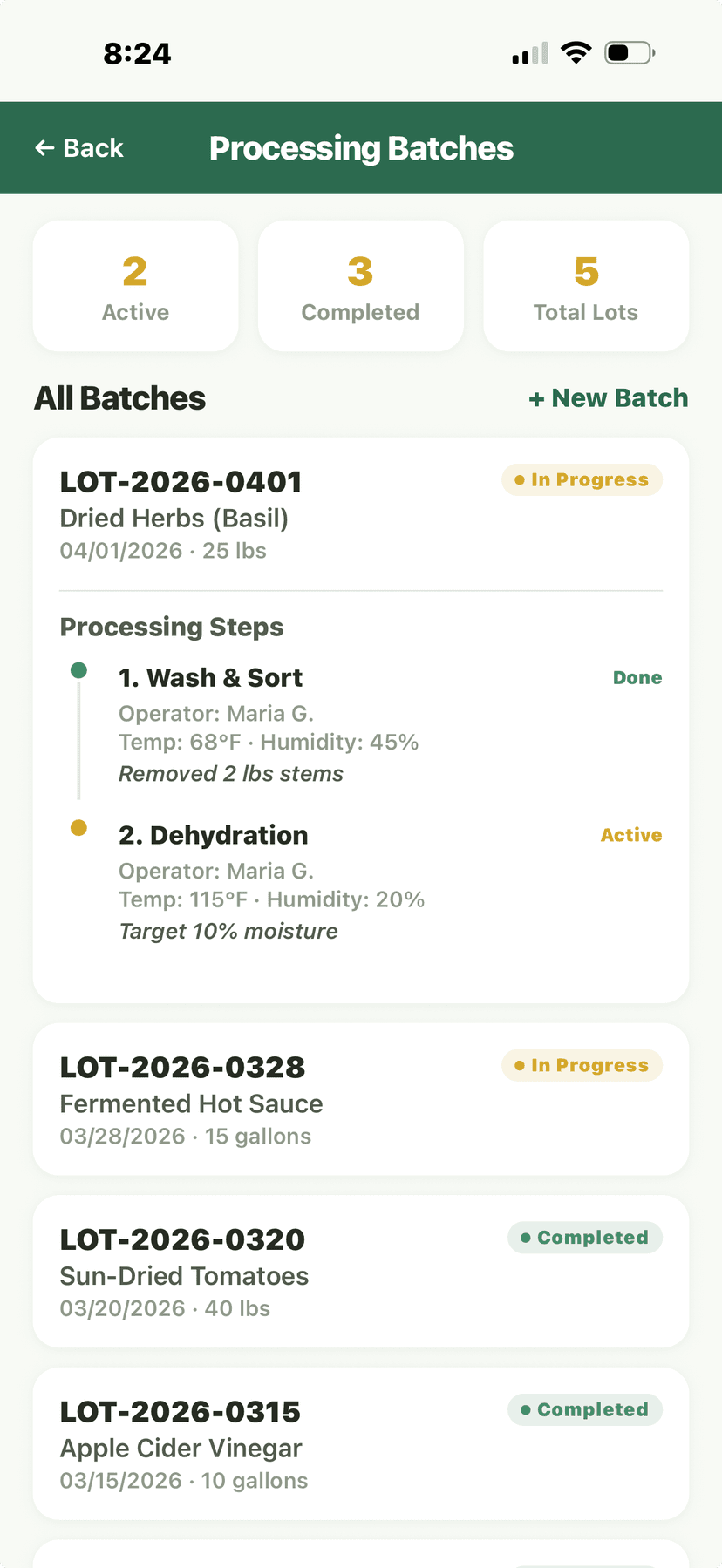
Processing Batches - batch entries and processing steps
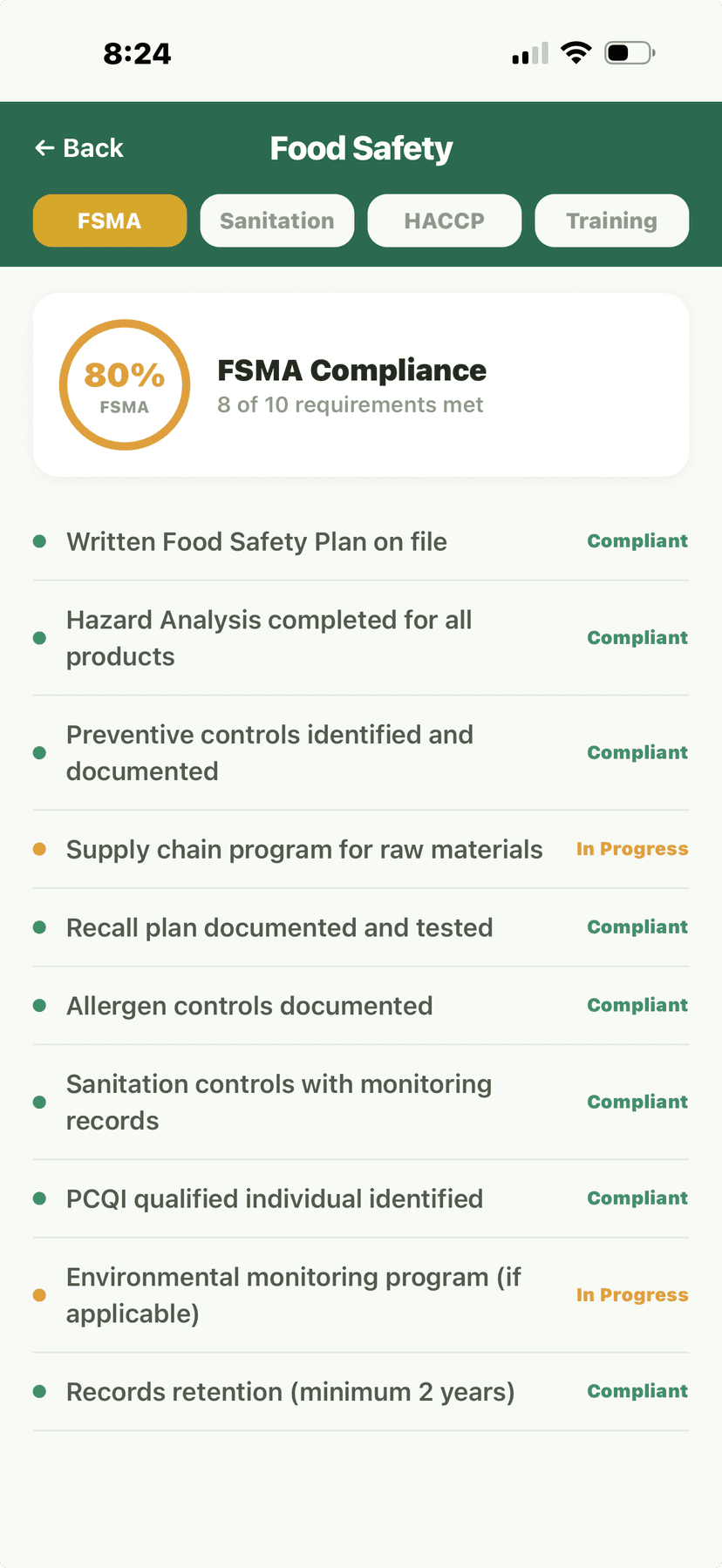
Food Safety - FSMA 80% compliance checklist
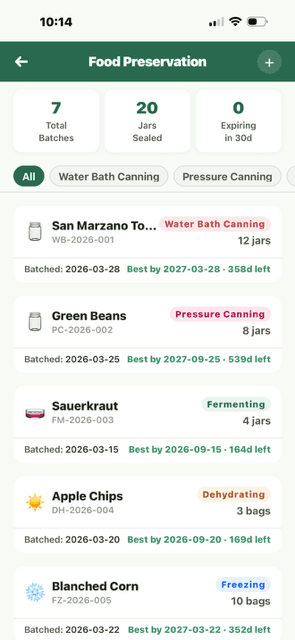
Food Preservation batch list with 7 batches and method badges: Water Bath Canning, Pressure Canning, Fermenting, Dehydrating, Freezing
🌾Seed Library
- Navigate to Library and tap "Seed Library."
- Tap "+ Add Seeds" to catalog a new seed variety.Enter: variety name, species, source (purchased or saved), purchase/harvest date, quantity, and germination rate (if tested).
- Track seed viability and germination rates over time.Seed viability decreases over time. Verdix stores typical viability lifespans by species and alerts you when seeds are aging past their recommended planting date.
- Use the "Seed Starting" feature to plan indoor seed starting dates based on your planting calendar.
- Mark seeds as heritage/heirloom for preservation priority.
💡
Store seeds in a cool, dark, dry place. Most vegetable seeds remain viable for 2-5 years if stored properly. Verdix reminds you when it's time to germination-test older seeds.
Processing Batches overview
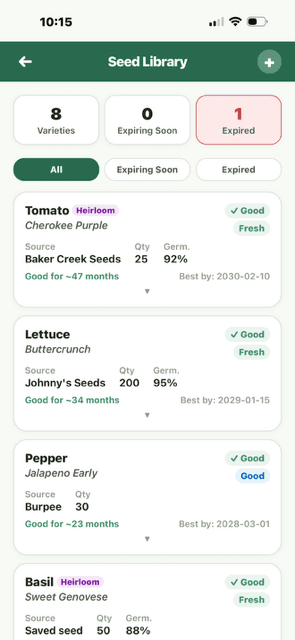
Seed Library list with 8 varieties, Heirloom badges, viability indicators: Fresh/Good, quantity and germination %
📈Self-Sufficiency Dashboard
The Self-Sufficiency Dashboard shows what percentage of your household food comes from your garden. It tracks your progress toward food independence across categories: vegetables, fruits, herbs, eggs, honey, and preserved goods.
- Percentage of household needs met by home production, by food category
- Total estimated savings vs. grocery store prices
- Gap analysis showing which foods you could grow to increase self-sufficiency
- Seasonal production curves — see when you overproduce and when you have gaps
- Year-over-year progress tracking
💡
Focus on growing what you eat the most of. If your family eats a lot of salad, prioritizing lettuce, tomatoes, and cucumbers will move the self-sufficiency needle the fastest.
Food Safety - FSMA compliance checklist and tracking
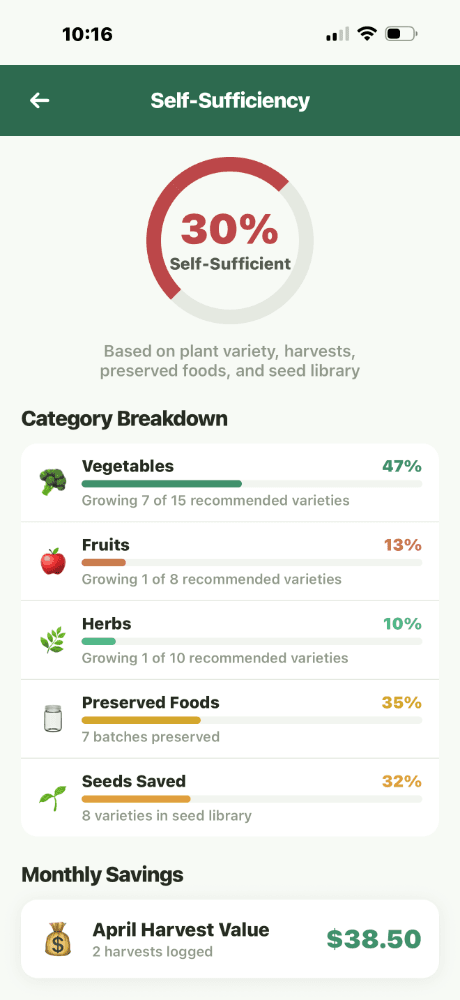
Self-Sufficiency Dashboard top - 30% gauge, Category Breakdown: Vegetables 67%, Fruits 14%, Herbs 71%, Preserved Foods 50%, Saved Seeds 33%
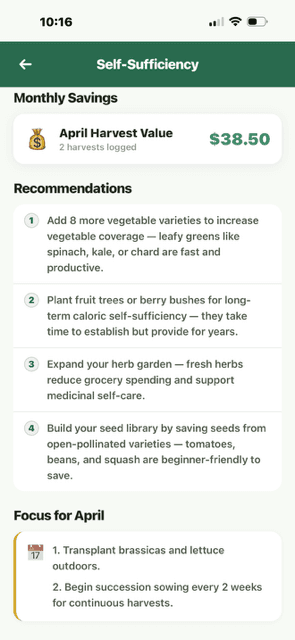
Self-Sufficiency Dashboard scrolled - Monthly Savings $38.50, Recommendations list, Focus for April section