🌀
Permaculture Design
Design with the zone system, create plant guilds (predefined and custom), plan food forest layers, track water harvesting, and apply the 12 permaculture principles.
🎯Zone System Design
- In the Library tab, tap "Permaculture" and then "Zone Map."
- Overlay permaculture zones onto your property map.Zone 0: Home. Zone 1: Intensive garden (herbs, salad, frequently visited). Zone 2: Orchard, main garden, composting. Zone 3: Farm crops, large animals. Zone 4: Semi-wild, timber, foraging. Zone 5: Wilderness, observation, no intervention.
- Assign existing plants and features to their zones.
- Use the zone planner to suggest what to plant where based on your visit frequency and the plant's care needs.High-maintenance plants (herbs, lettuce) go in Zone 1 near the kitchen. Low-maintenance trees go in Zone 2-3.
💡
The most common permaculture mistake is planting Zone 2 plants in Zone 1 (or vice versa). Match plant maintenance needs to how often you visit that area of your property.
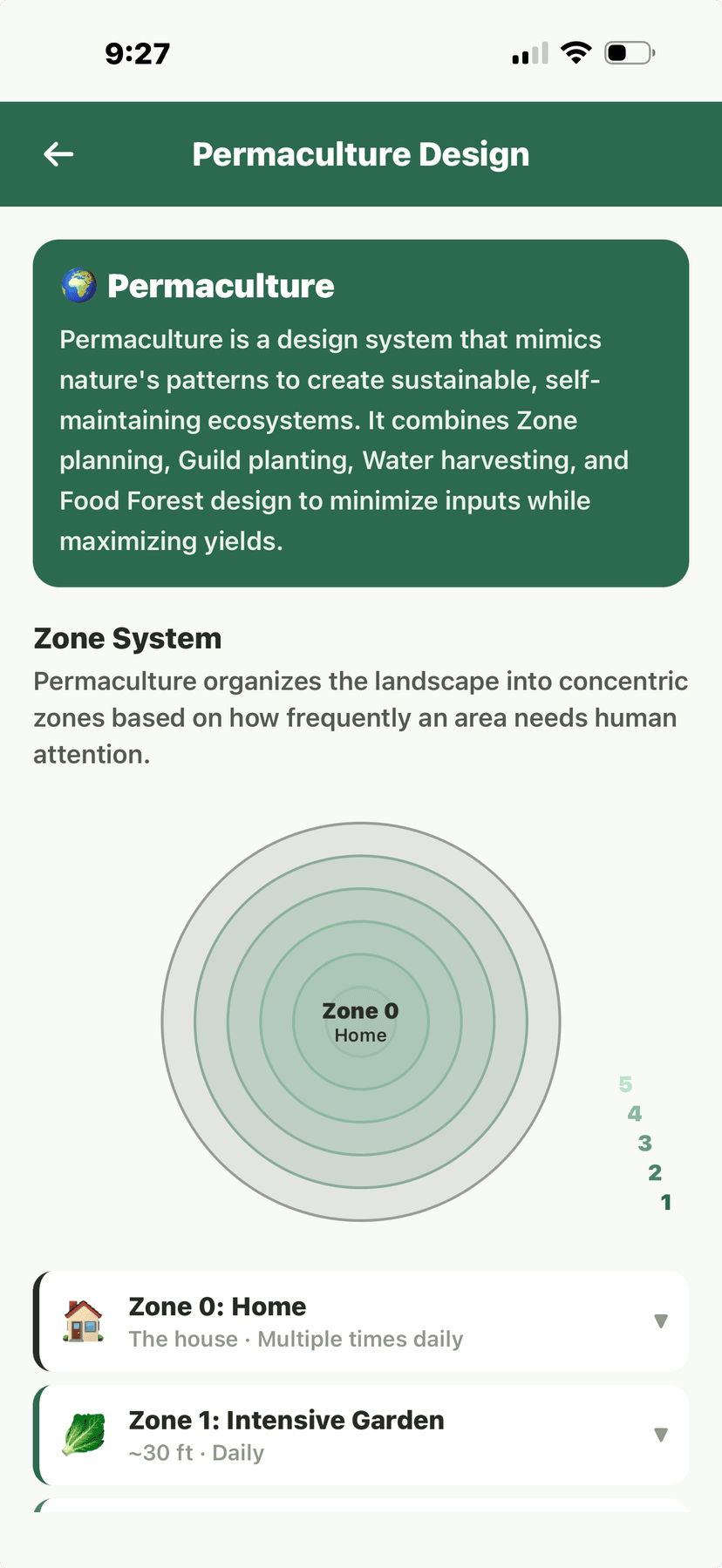
Permaculture - zone diagram with concentric circles
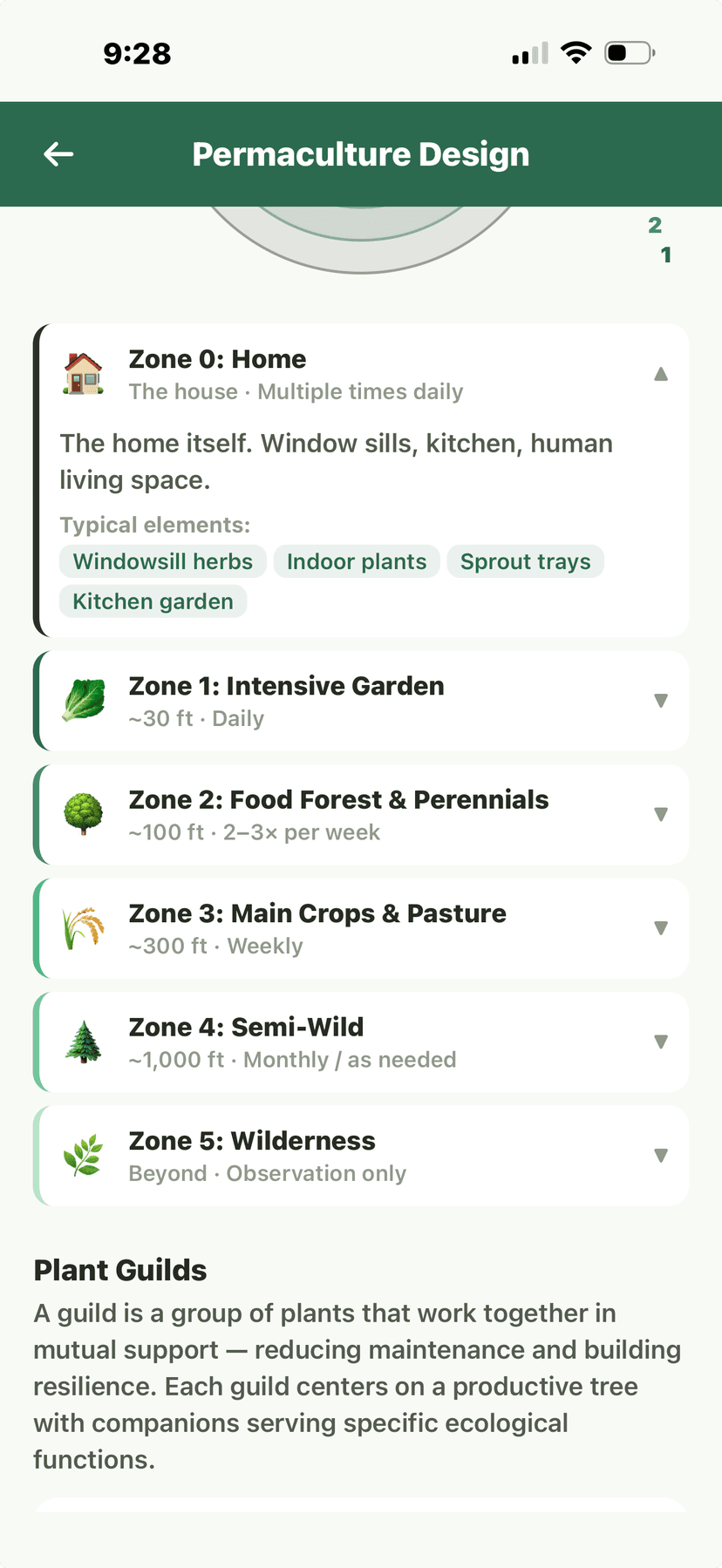
Permaculture - zone details (zones 0-5)
🌿Plant Guilds
- In the Permaculture section, tap "Plant Guilds."
- Browse predefined guilds.Verdix includes classic guilds: Apple Tree Guild (apple + comfrey + nasturtium + clover + daffodil), Three Sisters (corn + beans + squash), Berry Guild (blueberry + clover + thyme), and more.
- Tap a predefined guild to see the plant roles: canopy, understory, ground cover, nitrogen fixer, accumulator, pest deterrent, pollinator attractor.
- Create custom guilds by selecting your own plant combinations.Verdix checks your custom guild for companion planting compatibility and warns about antagonistic pairings.
- Add guilds to your garden planner to see them integrated with your garden layout.
💡
Start with one guild and observe it for a full season before expanding. The Apple Tree Guild is an excellent first guild — it's well-documented and works in a wide range of climates.
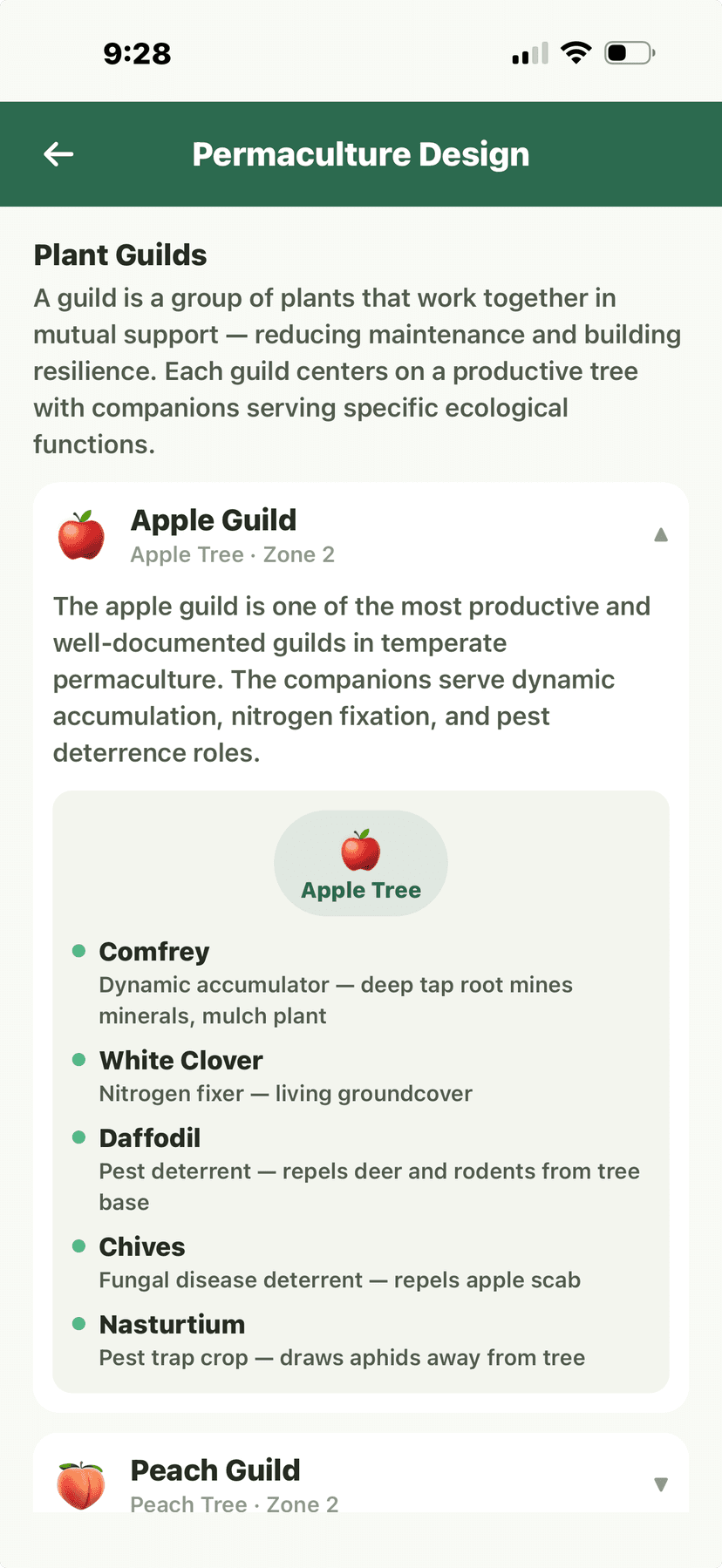
Permaculture - Apple Guild detail with companions
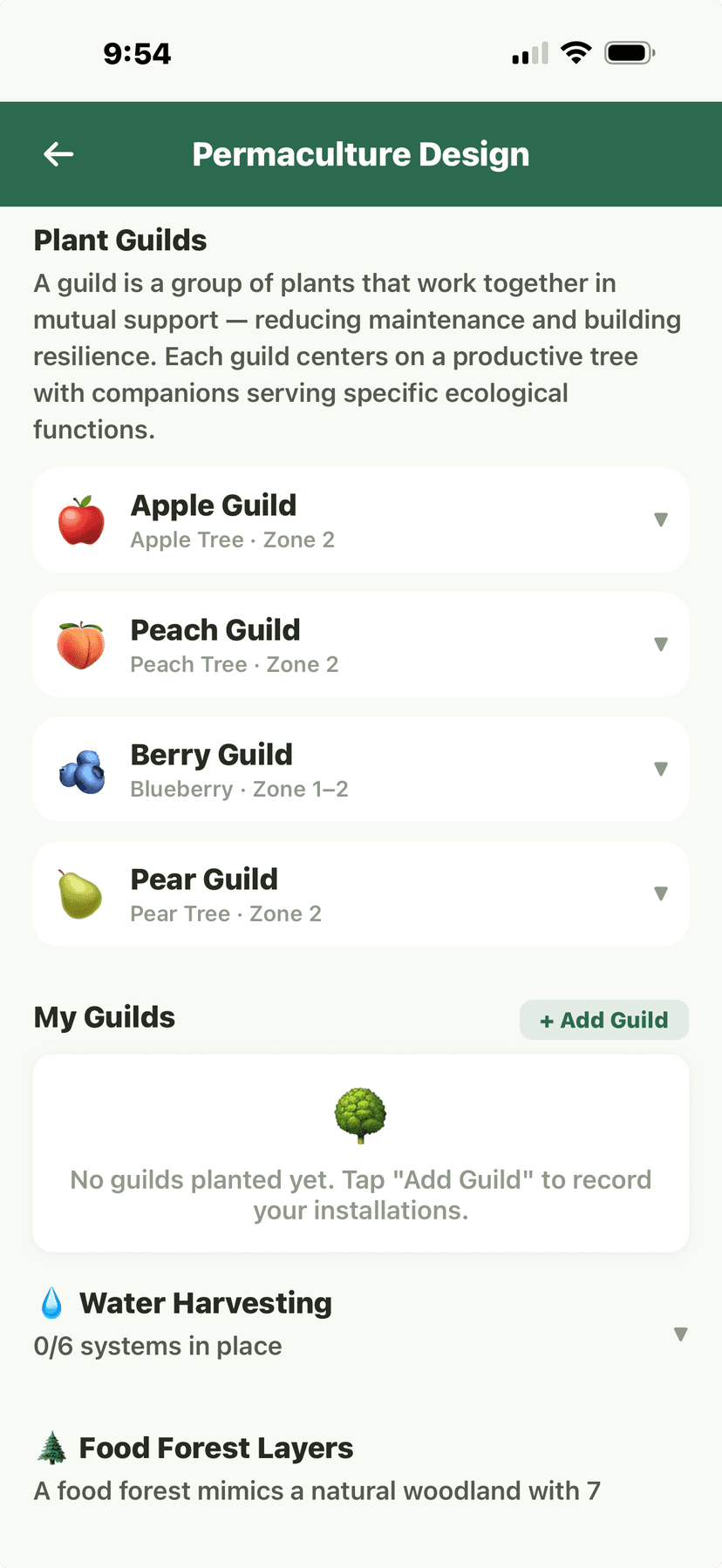
Permaculture - Guilds list, My Guilds, and Water Harvesting
🌳Food Forest Layers
- In the Permaculture section, tap "Food Forest."
- Design your food forest using the 7 layers.Layer 1: Canopy (fruit/nut trees). Layer 2: Understory (dwarf trees). Layer 3: Shrub (berries). Layer 4: Herbaceous (herbs, perennials). Layer 5: Ground cover (strawberries, clover). Layer 6: Root (potatoes, carrots). Layer 7: Vine (grapes, kiwi, hops).
- Select plants for each layer from the Verdix encyclopedia, filtered by your zone.
- View the cross-section diagram showing how your layers stack vertically.
- Plan establishment phases — food forests are typically planted over 2-5 years, starting with canopy and understory.
💡
Food forests take 3-7 years to reach full production but require almost no maintenance once established. Start with fast-producing understory plants (berries, herbs) for early harvests while canopy trees mature.
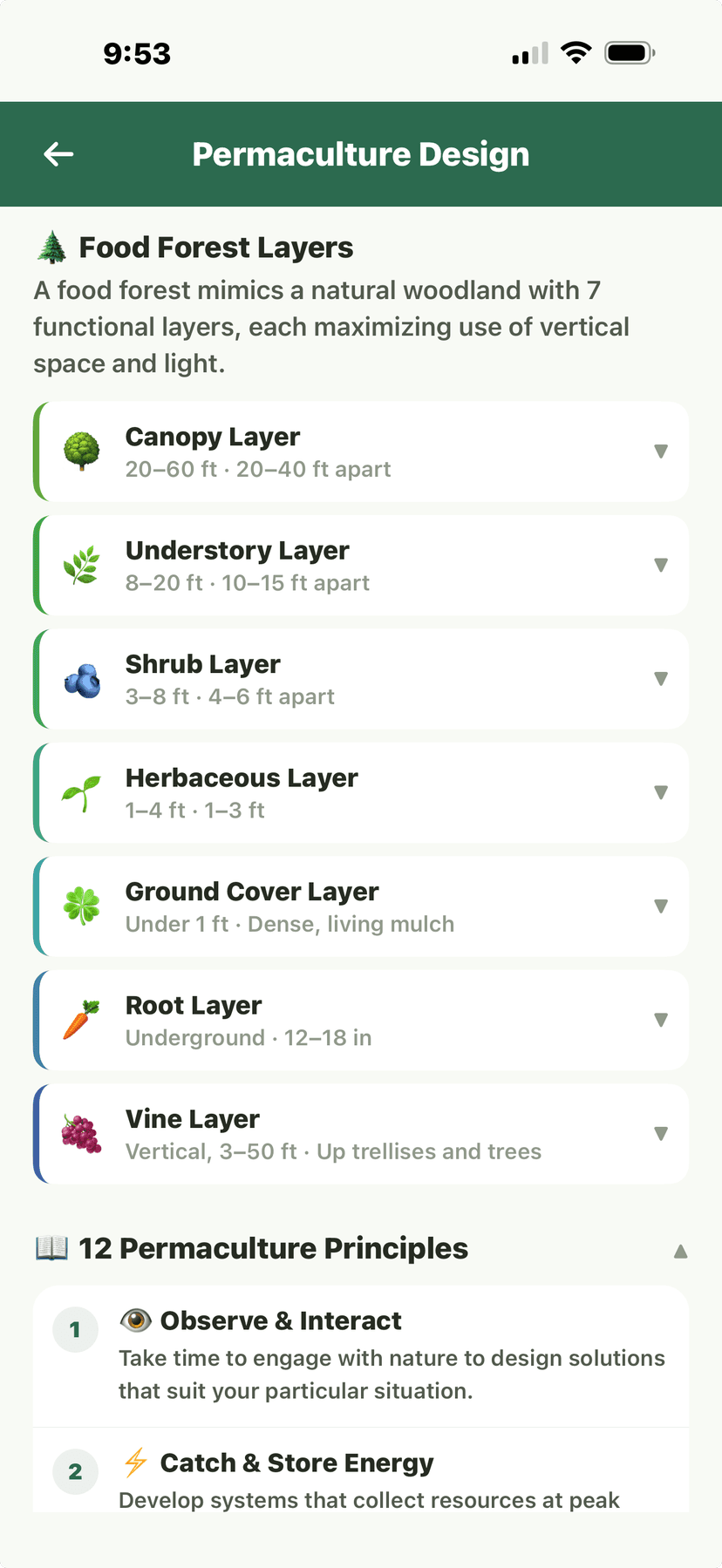
Permaculture - Food Forest layers and principles
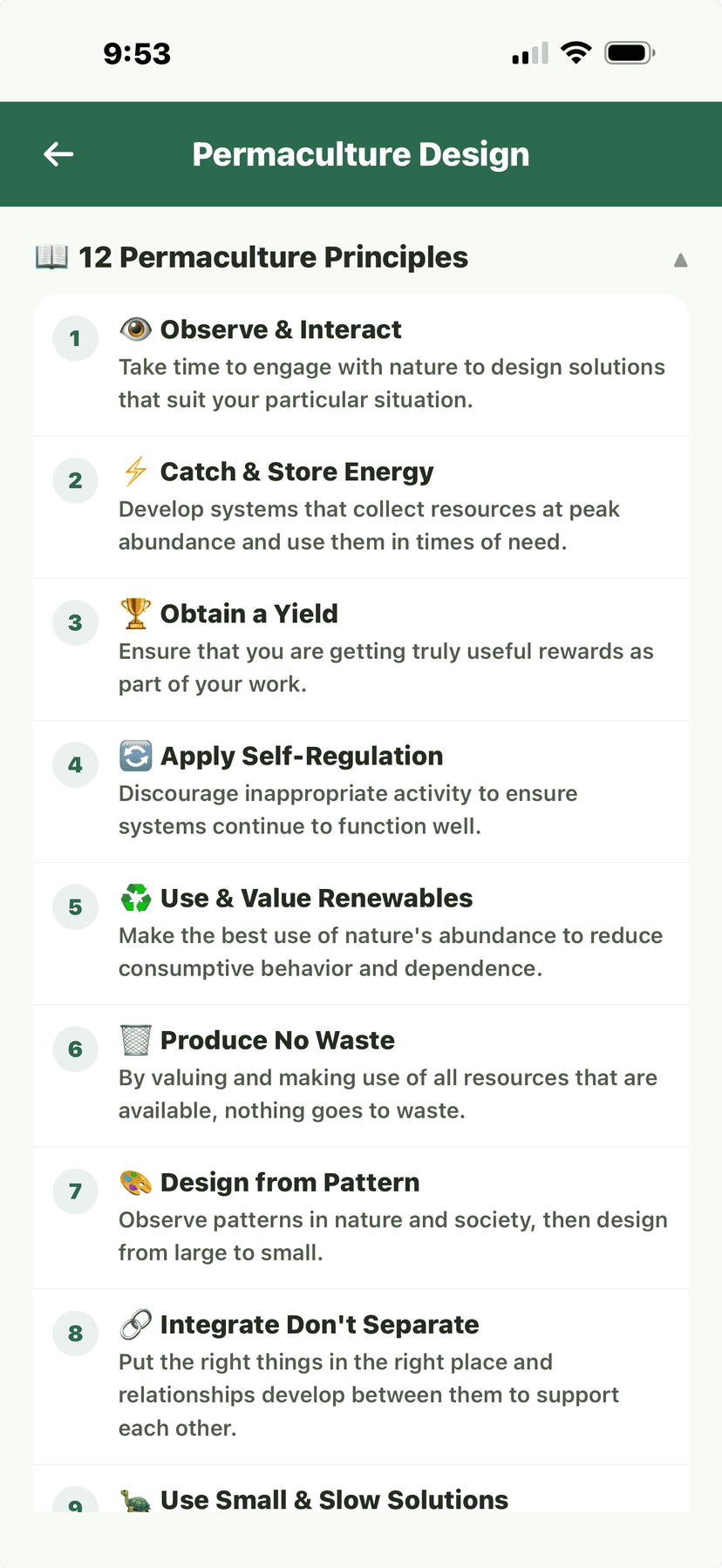
Permaculture - 12 Principles
💧Water Harvesting
- In the Permaculture section, tap "Water Harvesting."
- Map your property's topography and water flow patterns.Identify high points, low points, and natural drainage paths. Verdix helps you plan water features to capture and distribute rainwater.
- Plan water harvesting features: swales, rain gardens, rain barrels, cisterns, and hugelkultur beds.
- Calculate catchment potential based on your roof area and average rainfall.A 1,000 sq ft roof in an area receiving 30 inches of rain annually captures roughly 18,700 gallons per year.
- Track actual water harvested over time and compare to estimates.
💡
Swales on contour are the most cost-effective water harvesting technique for larger properties. They slow water flow, allow infiltration, and irrigate downslope plantings passively.
Permaculture - Water Harvesting and guild management
📖The 12 Principles
Verdix integrates the 12 permaculture principles throughout the app. This reference section explains each principle and shows how Verdix features help you apply them in practice.
- 1. Observe and Interact — Weather intelligence, grow journal photo timelines
- 2. Catch and Store Energy — Water harvesting calculator, solar exposure mapping
- 3. Obtain a Yield — Harvest tracking, self-sufficiency dashboard
- 4. Apply Self-Regulation and Accept Feedback — Health scores, yield analytics, soil test trends
- 5. Use and Value Renewable Resources — Composting tracker, cover crop planner
- 6. Produce No Waste — Food preservation tools, compost tracking, seed saving
- 7. Design from Patterns to Details — Zone system, food forest layers, guild templates
- 8. Integrate Rather Than Segregate — Companion planting, guild builder, polyculture design
- 9. Use Small and Slow Solutions — Succession planting, phased food forest establishment
- 10. Use and Value Diversity — Plant encyclopedia with diversity scoring per garden
- 11. Use Edges and Value the Marginal — Microclimate mapping, edge zone planting
- 12. Creatively Use and Respond to Change — Season extension tools, climate adaptation planning
Permaculture - 12 Principles reference
Permaculture - Food Forest layers and principles application