🐾
Managing Your Animals
Add animals, edit profiles, organize into groups, and manage your registry across all 12 supported species.
🏠Your Animal Dashboard
Your home screen shows your animals organized by species. Each species has its own tab with a themed name — "My Pack" for dogs, "My Colony" for cats, "My Stables" for horses, and so on. Tap any animal to see their full profile.
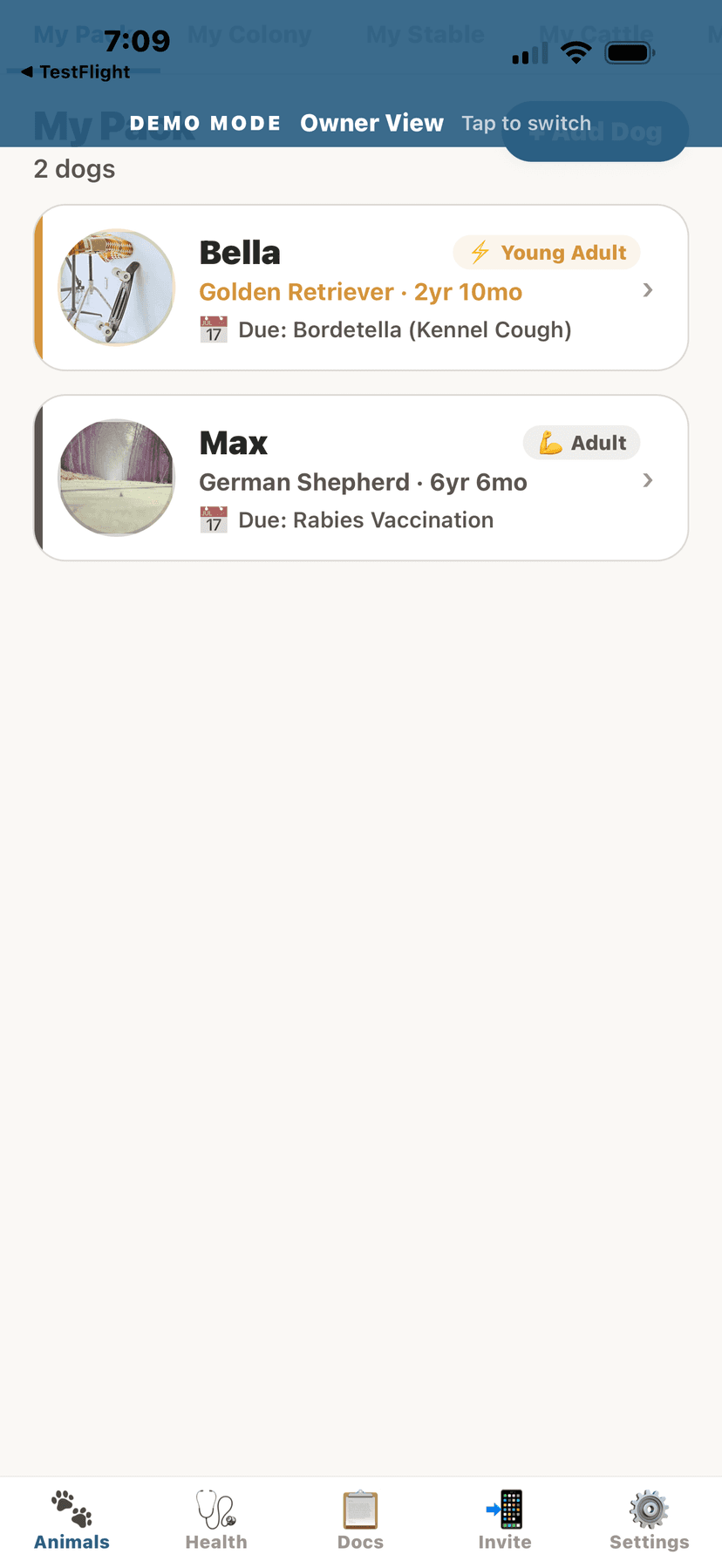
Animals list organized by species
➕Adding a New Animal
- Tap the "+ Add Animal" button on your home screen or animal list.
- Select the species from the picker.Supported species: Dogs, Cats, Horses, Cattle, Goats, Sheep, Pigs, Poultry, Rabbits, Camelids, Donkeys, Mules.
- Enter the animal's name (required).
- Fill in optional details: breed, date of birth, sex, color/markings, microchip number.
- Add a photo by tapping the camera icon.You can take a new photo or choose from your photo library.
- Tap "Save" to add the animal to your registry.
💡
You can always edit these details later from the animal's profile screen.
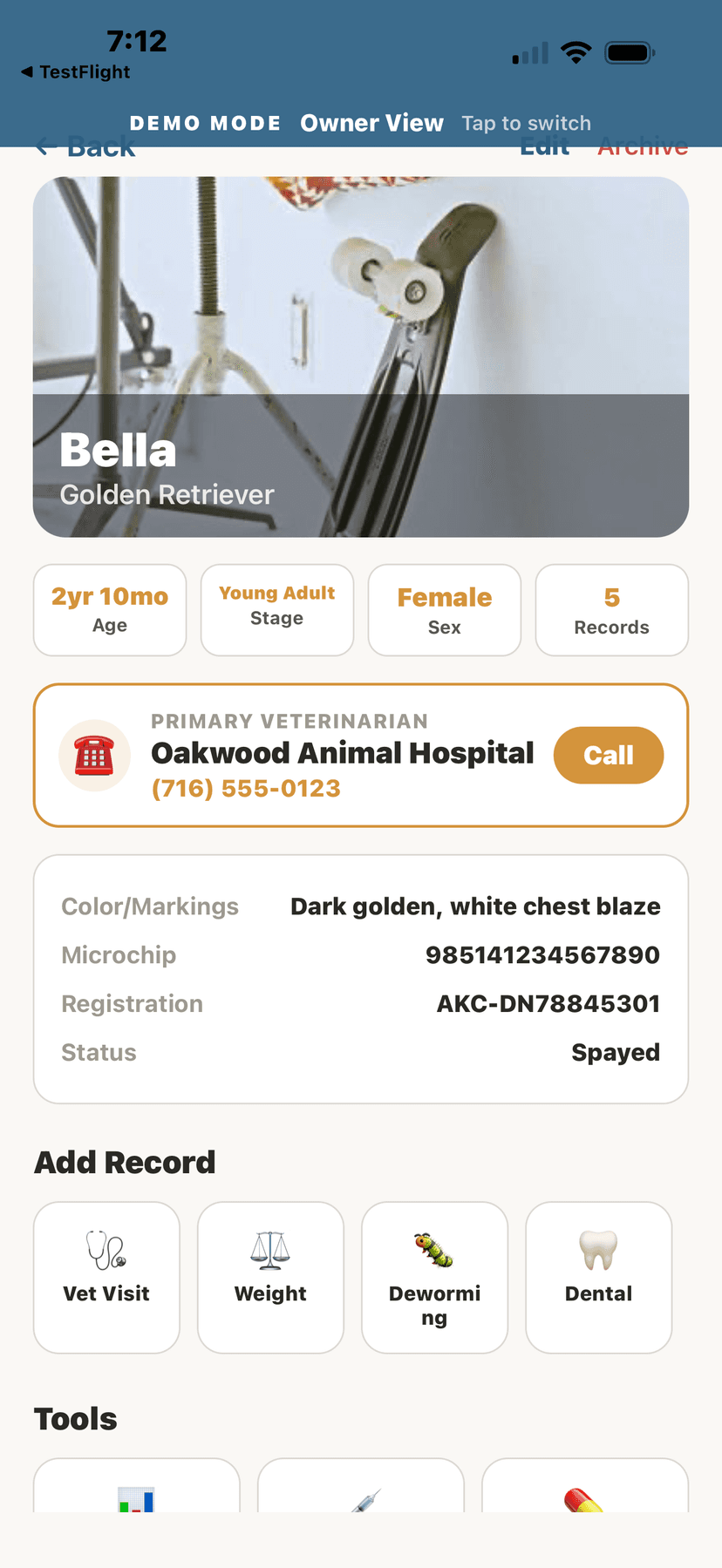
Animal profile with breed and vet info
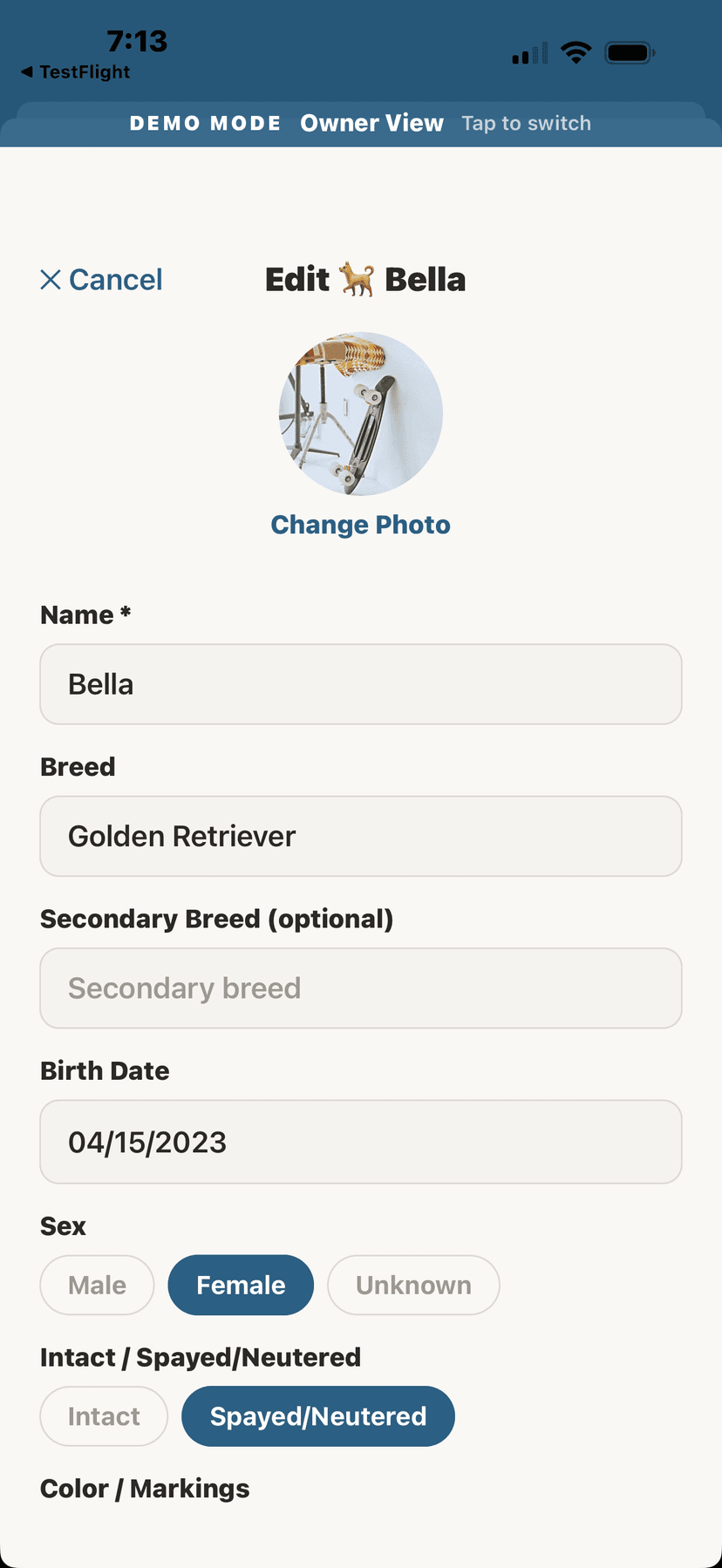
Edit animal details form
✏️Editing an Animal's Profile
- Navigate to the animal's profile by tapping their card on the home screen.
- Tap the "Edit" button (pencil icon) in the top right.
- Update any fields: name, breed, birthdate, sex, color, microchip, registration numbers.
- Tap "Save" to apply changes.
📷Photo Gallery
- From an animal's profile, tap the "Photos" tool.
- Tap "+ Add Photo" to upload a new photo from your library or take one with your camera.
- Add an optional caption to describe the photo.
- Photos are displayed in a timeline grid sorted by date.
💡
Use the photo gallery to track your animal's appearance over time — great for showing coat changes, growth, or condition progress.
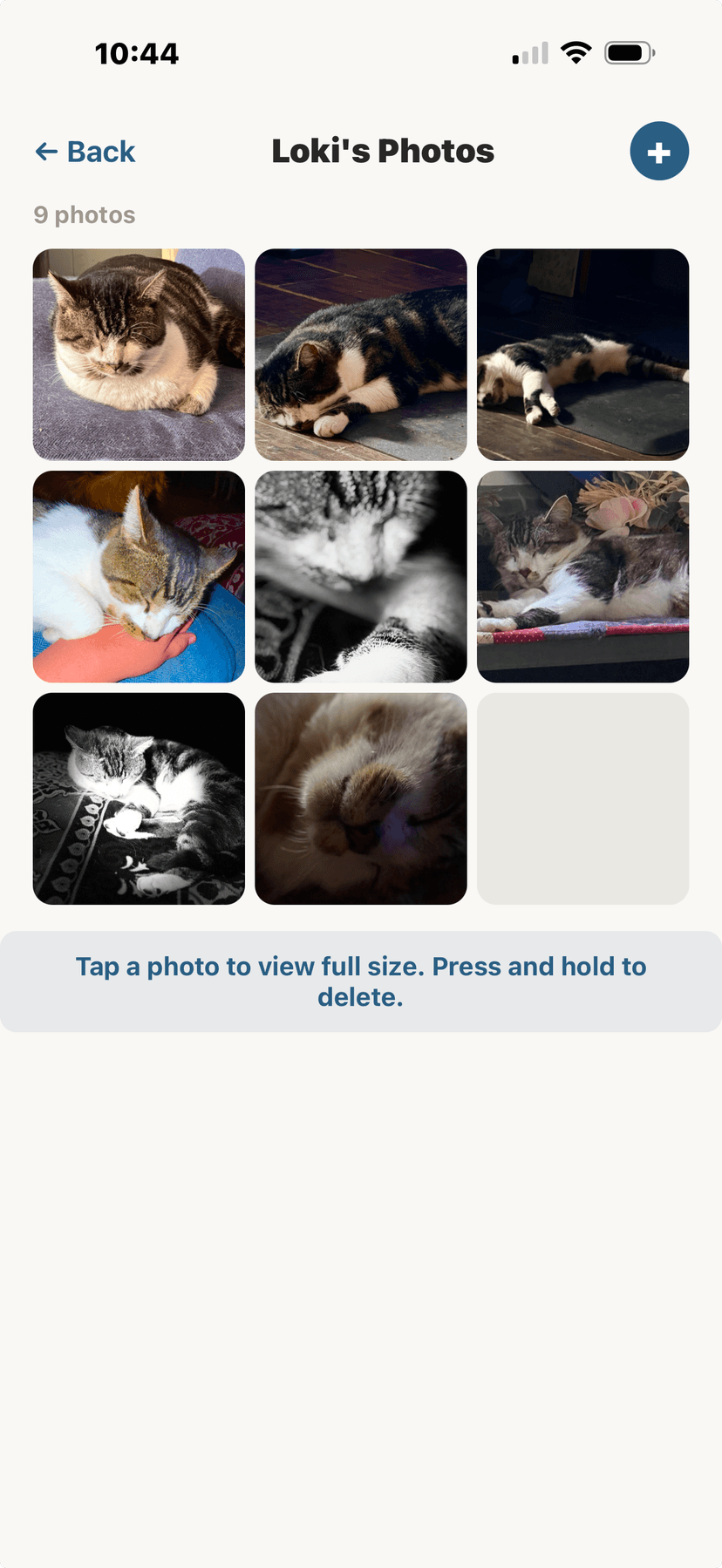
Photo gallery timeline for your animal
🔍Searching & Filtering Animals
- Tap the search icon on your home screen.
- Type the animal's name, breed, or species to filter results.
- Tap any result to jump directly to that animal's profile.
📋Animal Groups
Organize animals into custom groups for easier management — for example, "Show Dogs," "Breeding Stock," or "Barn A." Groups are especially useful for facility owners managing large herds or flocks.
- Create unlimited custom groups
- Add or remove animals from groups anytime
- View group-level health summaries
- Apply bulk actions to an entire group
📊Animal Limits by Plan
The number of animals you can register depends on your subscription tier. Free accounts get 5 animals; paid tiers go up from there.
- Free: Up to 5 animals
- Companion: Up to 10 animals
- Homestead: Up to 25 animals
- Breeder Pro: Up to 50 animals
- Facility Starter: Up to 150 animals
- Facility Pro: Up to 500 animals
- Enterprise: Up to 2,000 animals
💡
You can upgrade your plan anytime from Settings to add more animals.