🩺
Health Records
Track vaccinations, vet visits, blood work, DNA tests, weight, and growth curves for every animal.
📊Health Dashboard
Each animal has a dedicated Health Dashboard that gives you a snapshot of their health status at a glance.
- Overdue items — vaccines or check-ups past their due date
- Upcoming appointments — scheduled vet visits and care tasks
- Active medications — current prescriptions with dosage info
- Recent records — latest health entries in chronological order
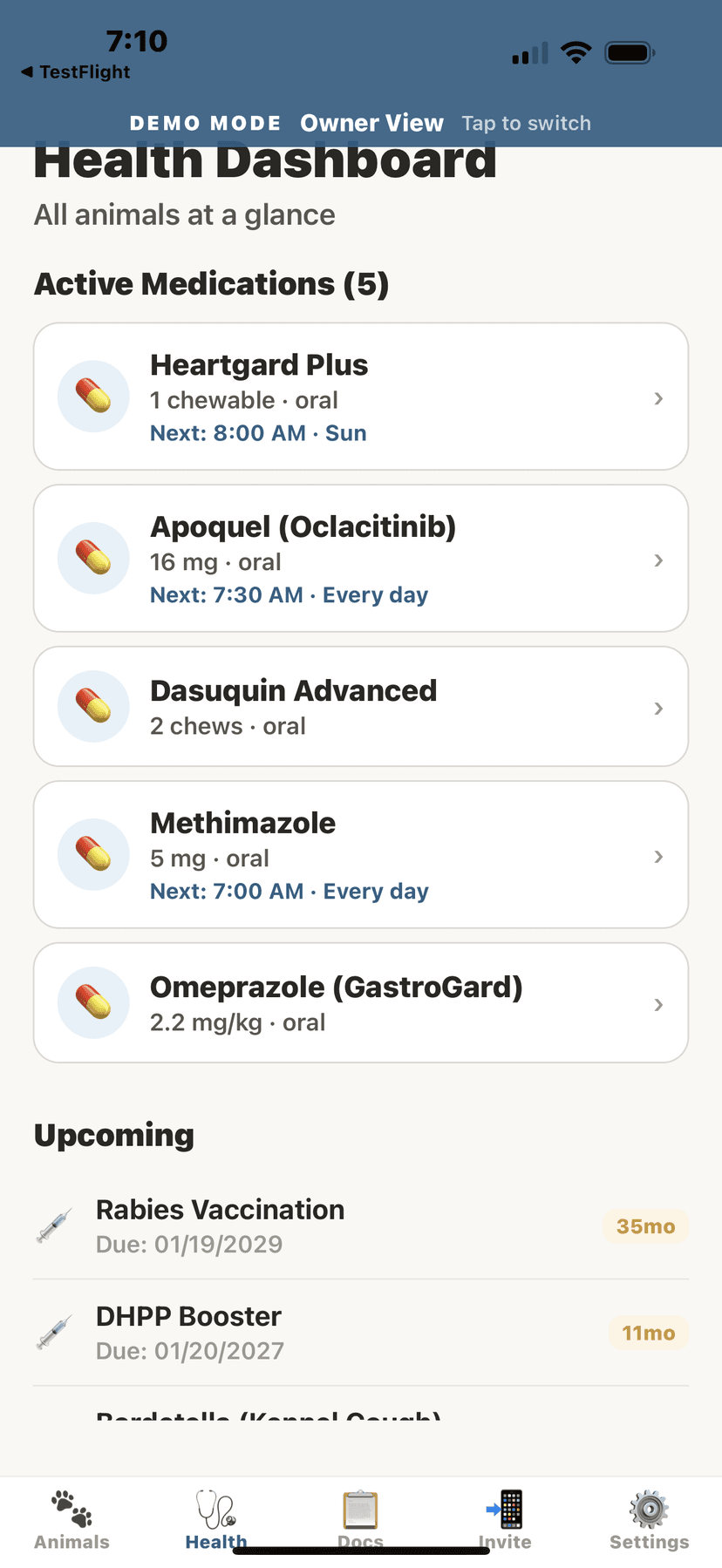
Health dashboard with medications and vaccines
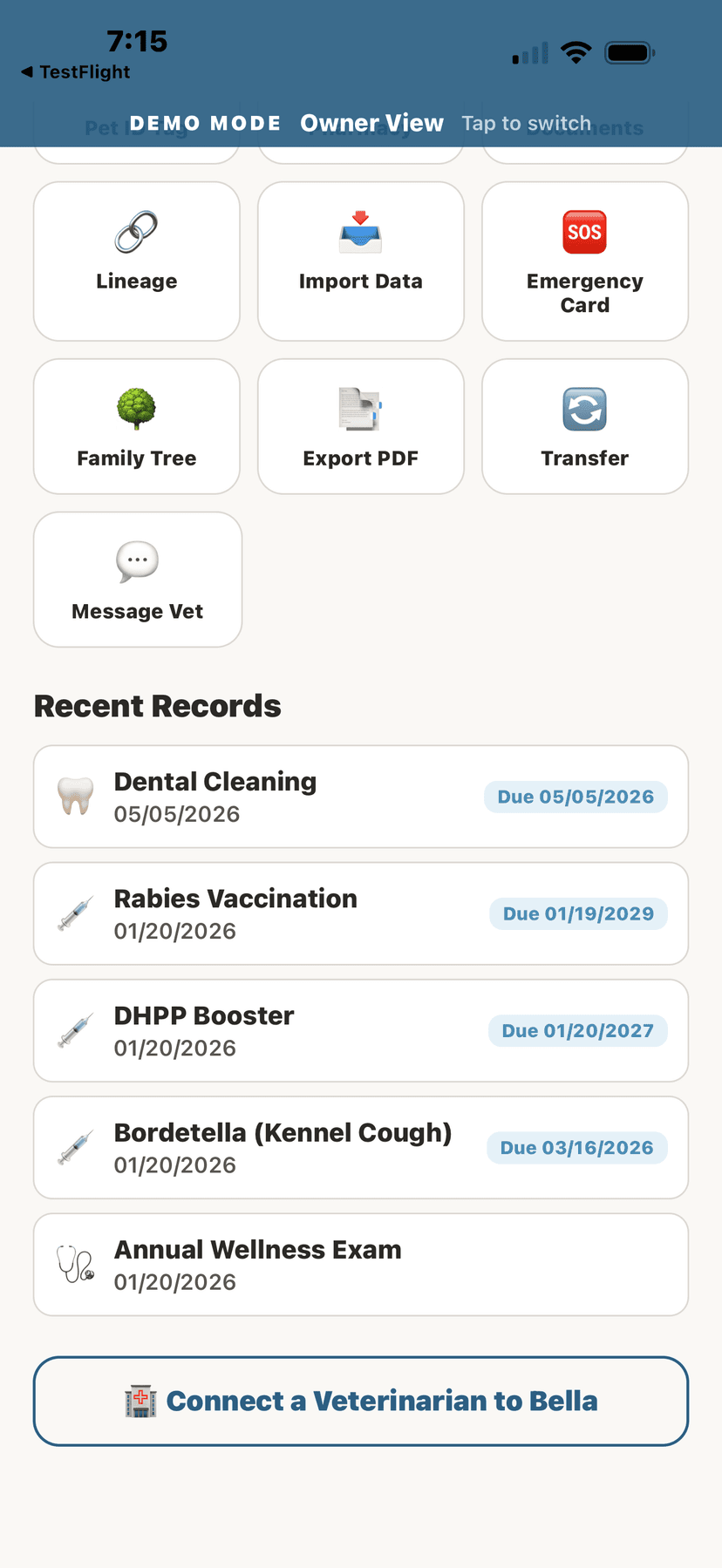
Recent health records timeline
➕Adding a Health Record
- From the animal's profile, tap the "Health" tool.
- Tap "+ Add Record" at the top of the health screen.
- Select the record type.Options include: Vaccination, Screening, Deworming, Flea/Tick Treatment, Farrier Visit, Dental, Blood Work, Imaging, Weight, and more. Note: Vet Visits and Surgeries can only be added by your veterinarian.
- Fill in the details: date, provider/vet, description, and any notes.
- Add the cost if you want to track expenses.
- Tap "Save" to add the record.
💡
Health records are automatically sorted chronologically. The most recent entries appear at the top.
💉Vaccine Records
- Navigate to an animal's profile and tap the "Vaccines" section.
- View all vaccination history with dates, vaccine names, and next-due dates.
- Tap "+ Add Vaccine" to log a new vaccination.
- Enter: vaccine name, date administered, batch/lot number (optional), next due date, and administering vet.
💡
AniLedger will notify you when vaccines are approaching their due date so nothing falls through the cracks.
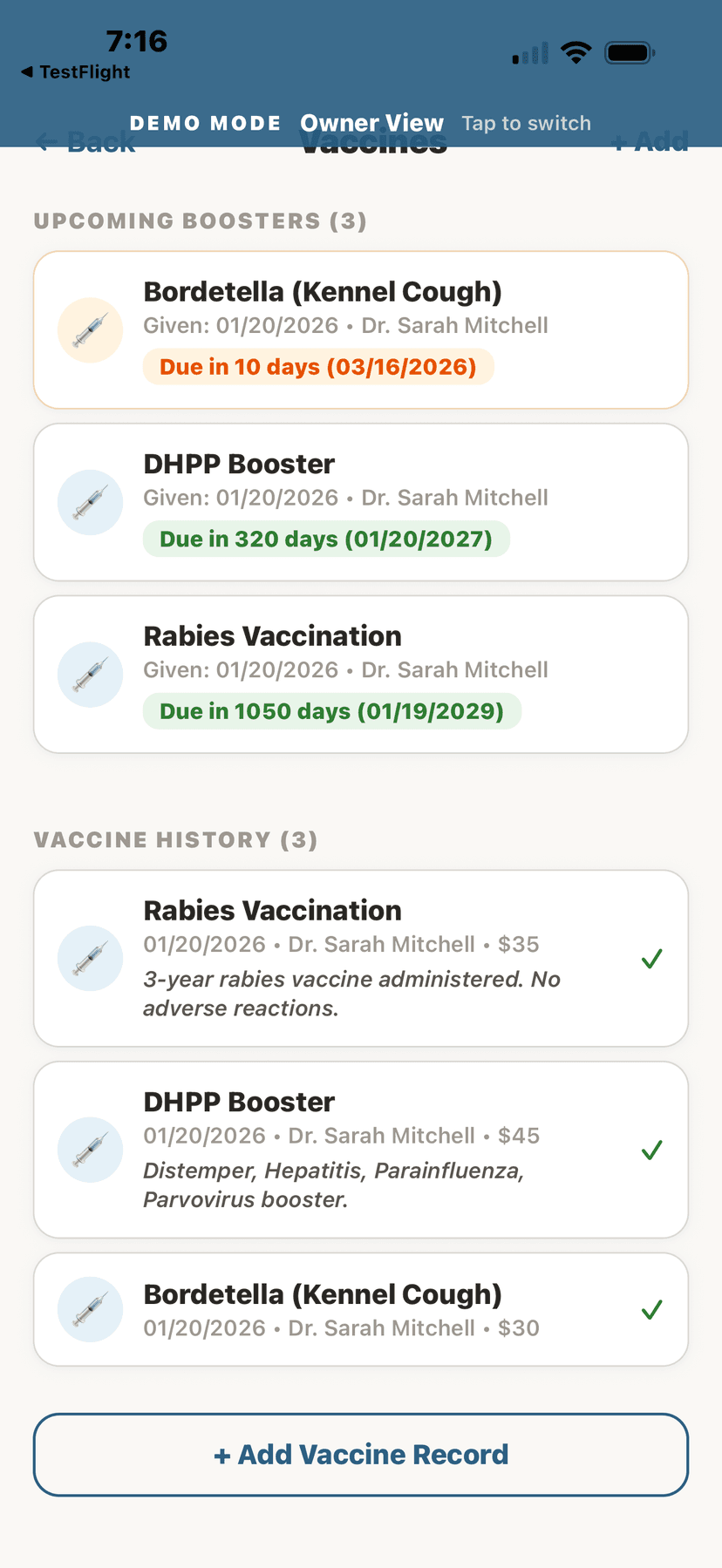
Vaccine history with upcoming boosters
🩸Blood Work
- From the animal's health records, tap "Blood Work."
- Tap "+ New Blood Work" to add results.
- Enter the test date, lab name, and individual values (CBC, chemistry panel, etc.).
- View trends over time — AniLedger charts your blood work values to spot patterns.
Available on Homestead plan and above. Blood work trend analysis is available on Breeder Pro and higher.
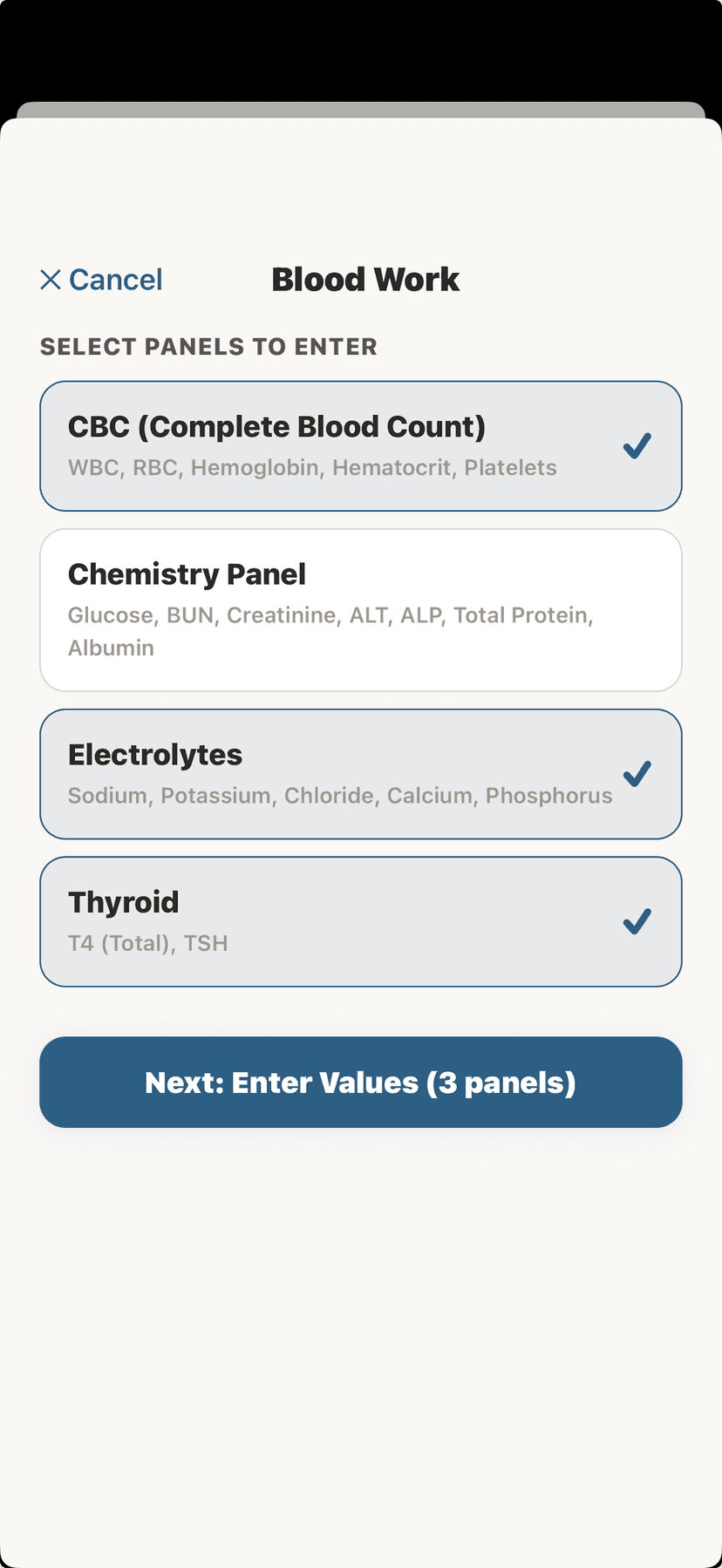
Blood work history
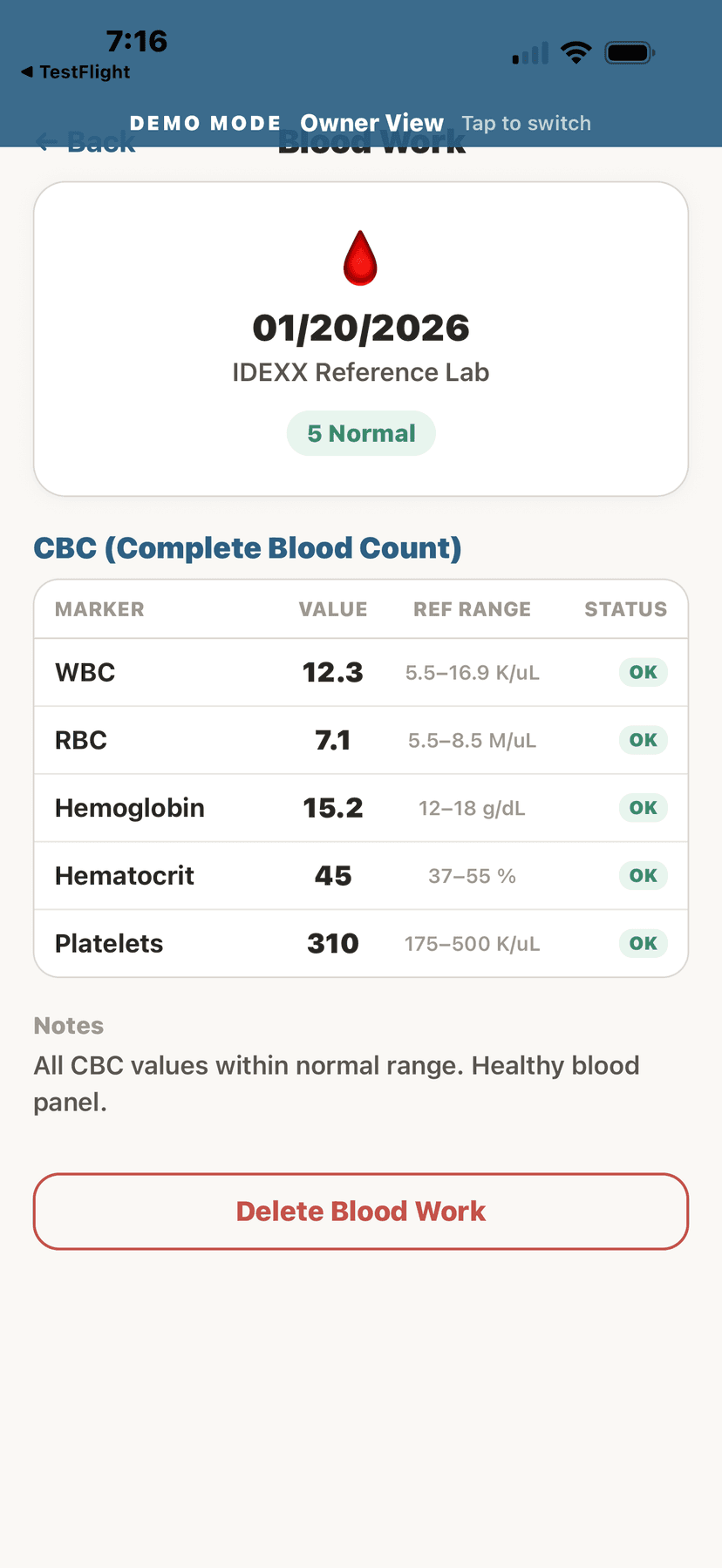
CBC blood work results with markers
🧬DNA Tests
- Navigate to an animal's profile and tap "DNA Tests."
- Tap "+ Add DNA Test" to record results.
- Enter: test provider (Embark, Wisdom Panel, UC Davis, etc.), test date, and results.
- Record health markers, trait results, and carrier status for breed-specific conditions.
💡
DNA test data integrates with the breed health database to provide personalized health risk assessments.
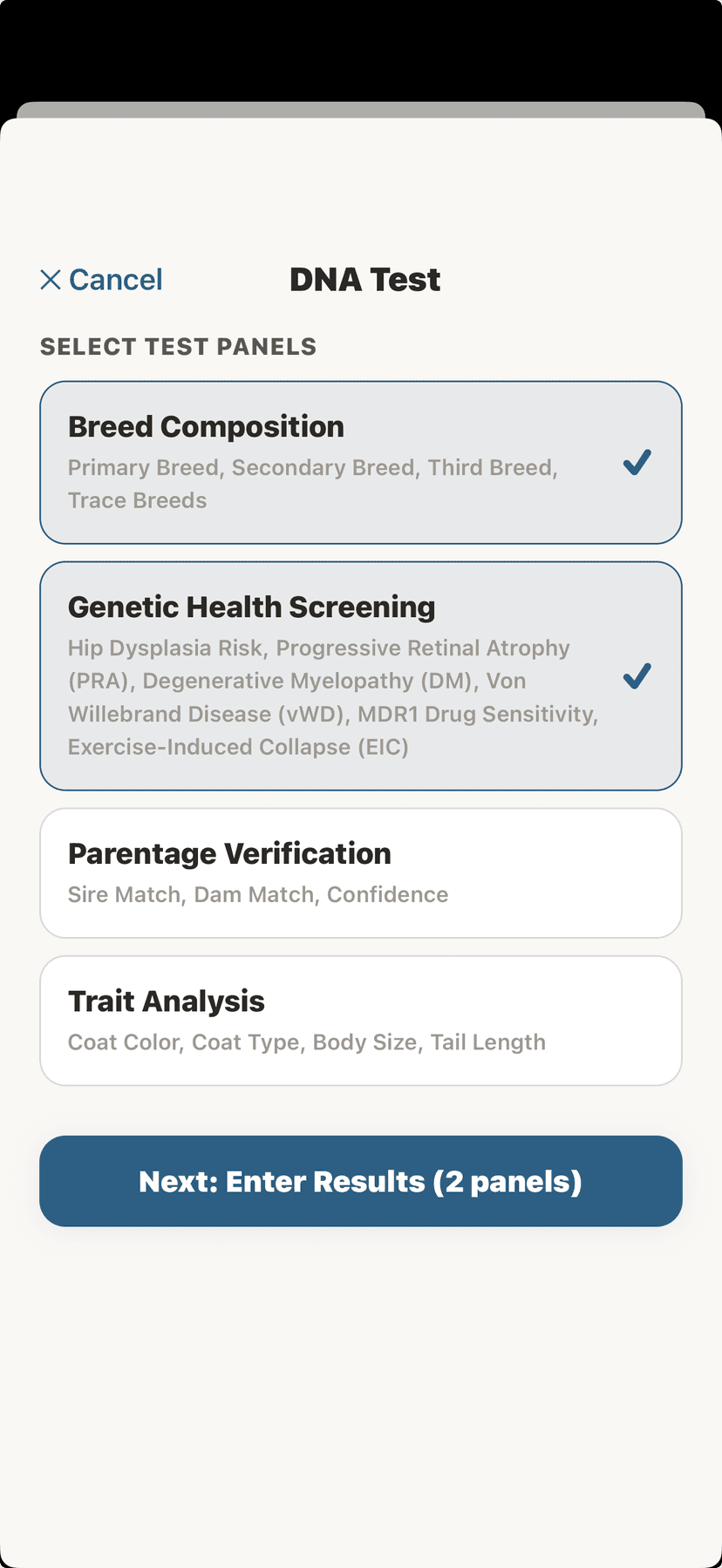
DNA tests list
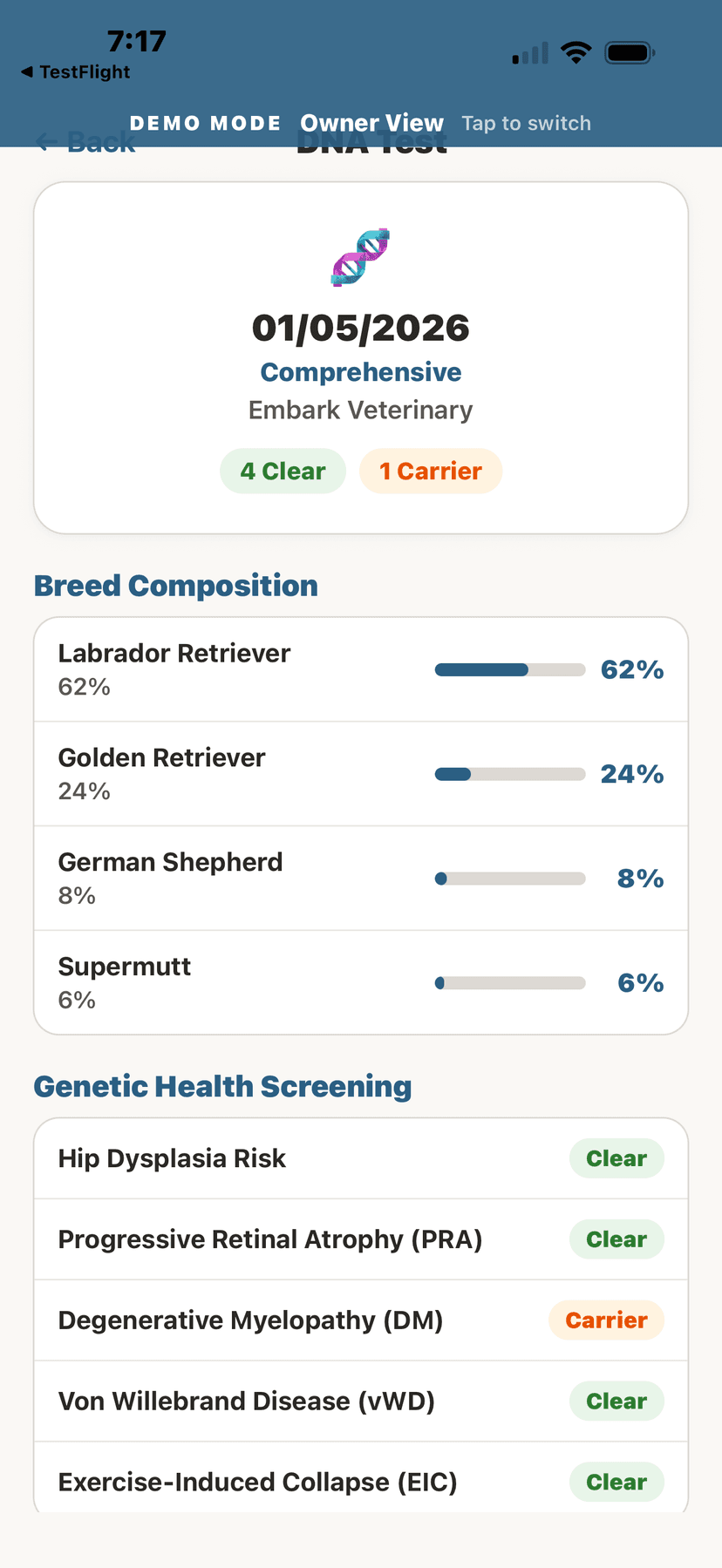
DNA breed composition breakdown
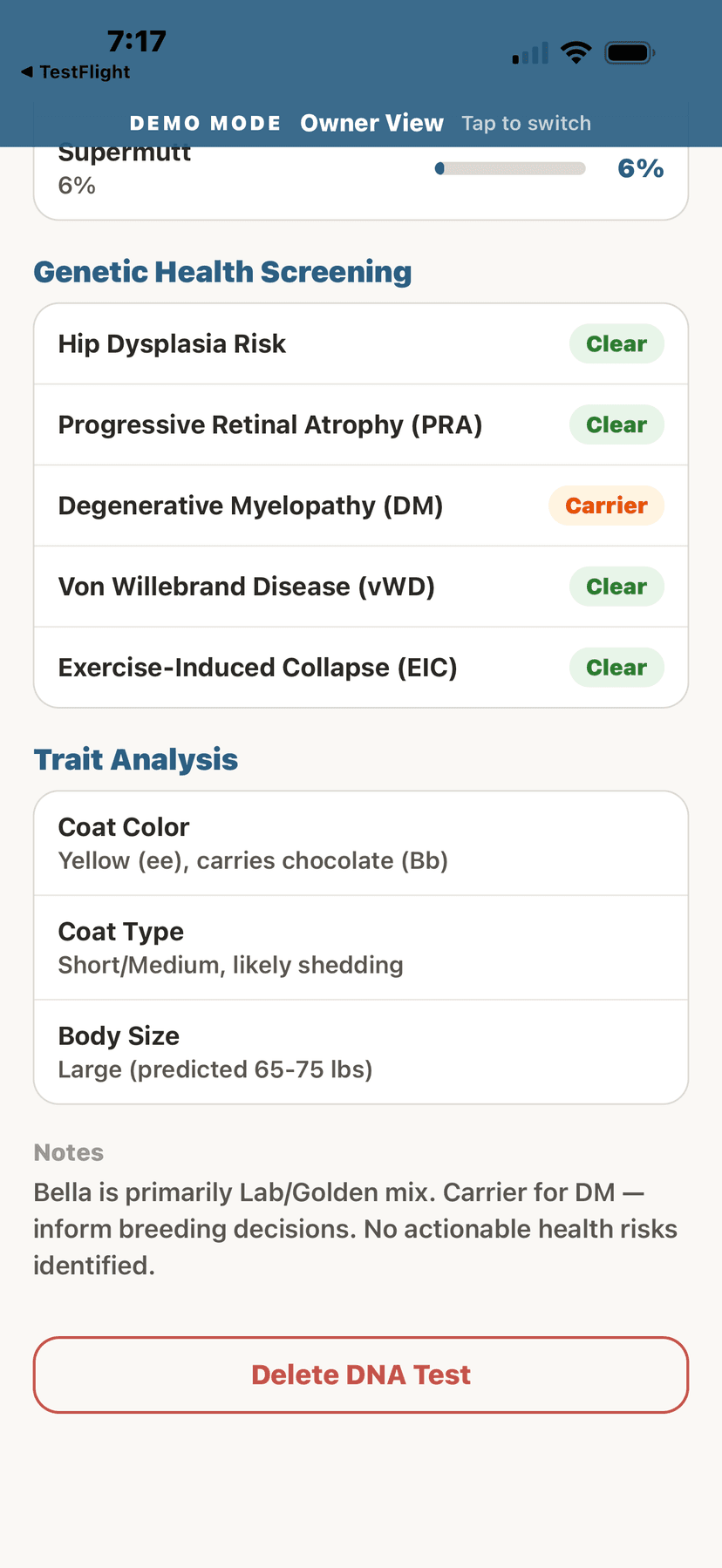
Genetic trait analysis
⚖️Weight Tracking & Growth Curves
- From the animal's profile, tap "Weight" or "Growth."
- Tap "+ Add Weight" to log a new weight entry.
- Enter the date and weight value.
- View the weight chart — a visual graph showing weight trends over time.
Growth curves compare your animal's weight trajectory against breed-standard ranges (where available). This is especially valuable for puppies, kittens, foals, and livestock.
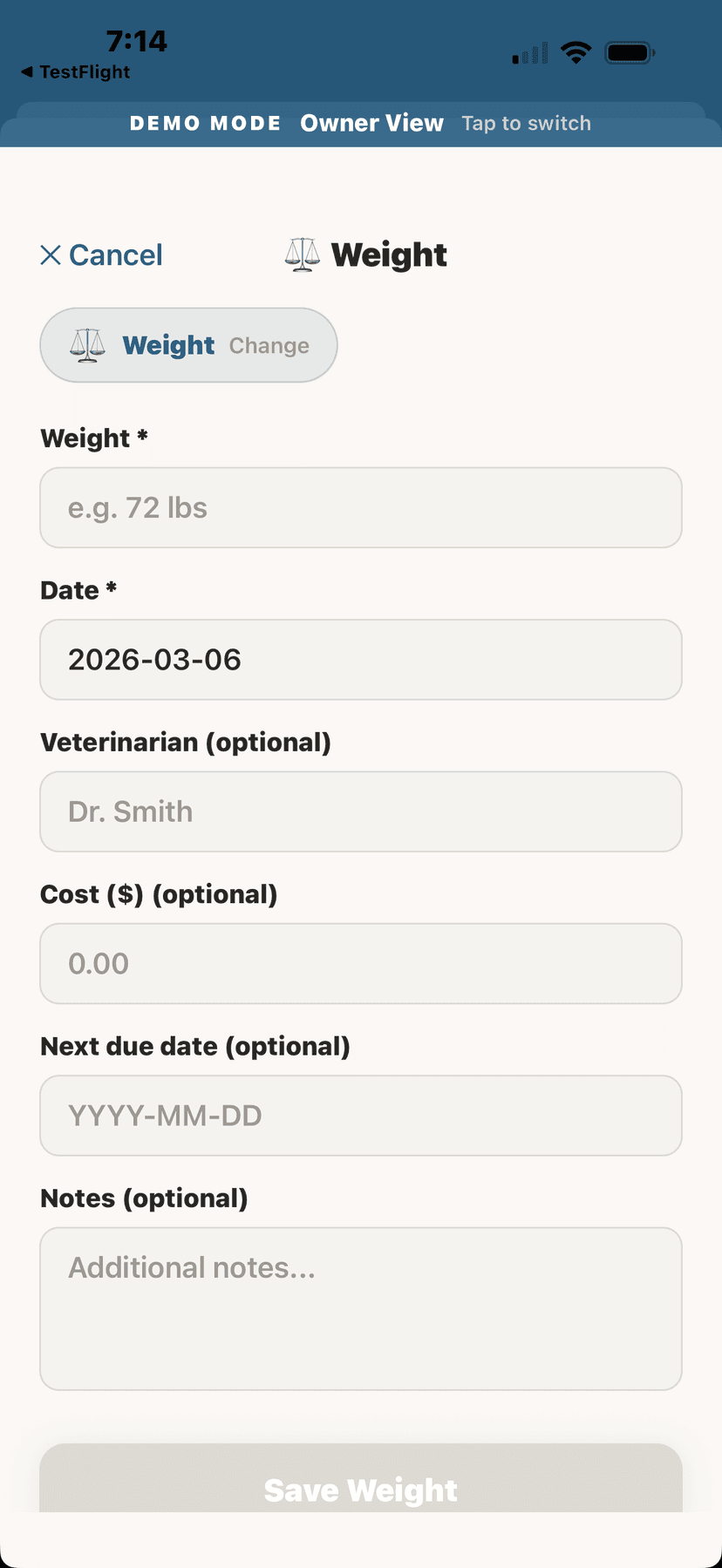
Recording a weight entry
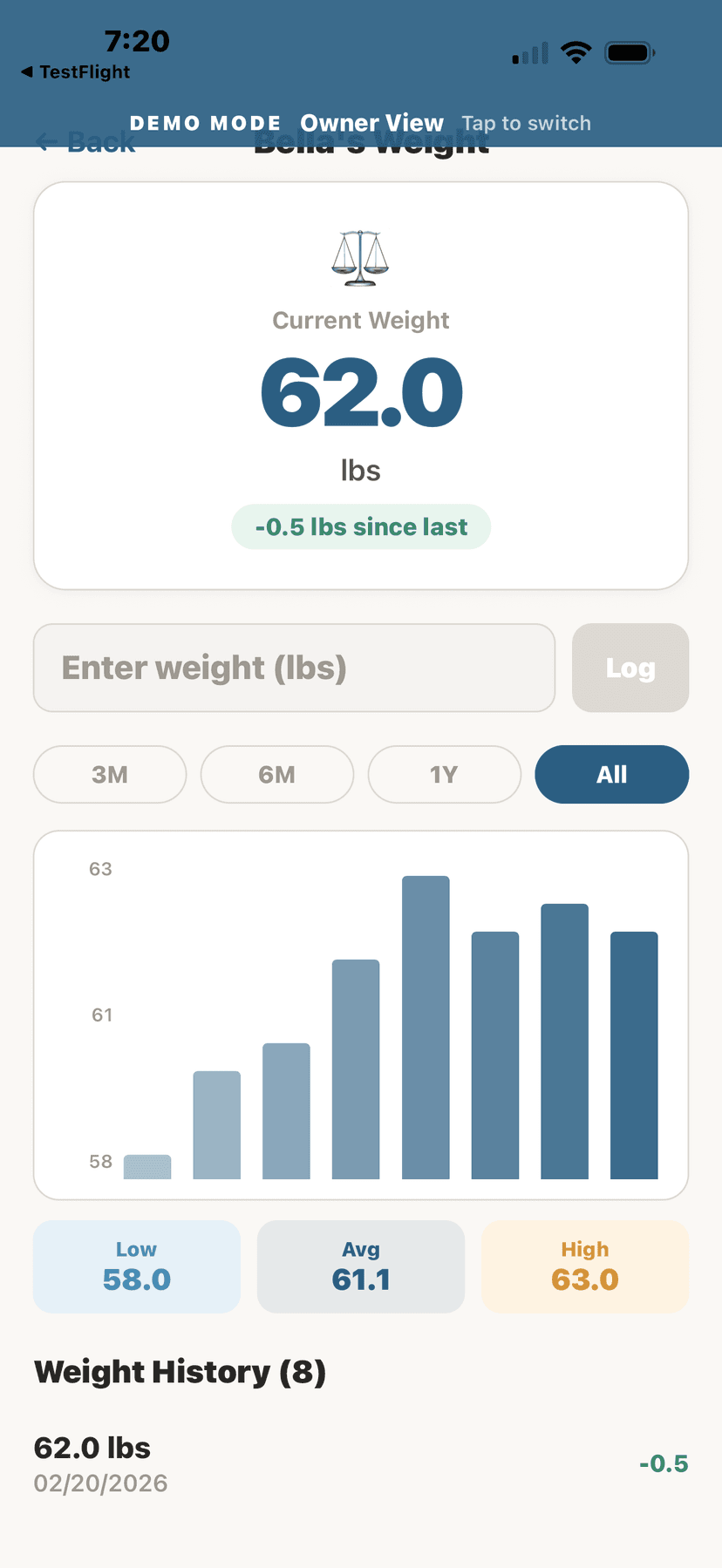
Weight chart showing trends over time
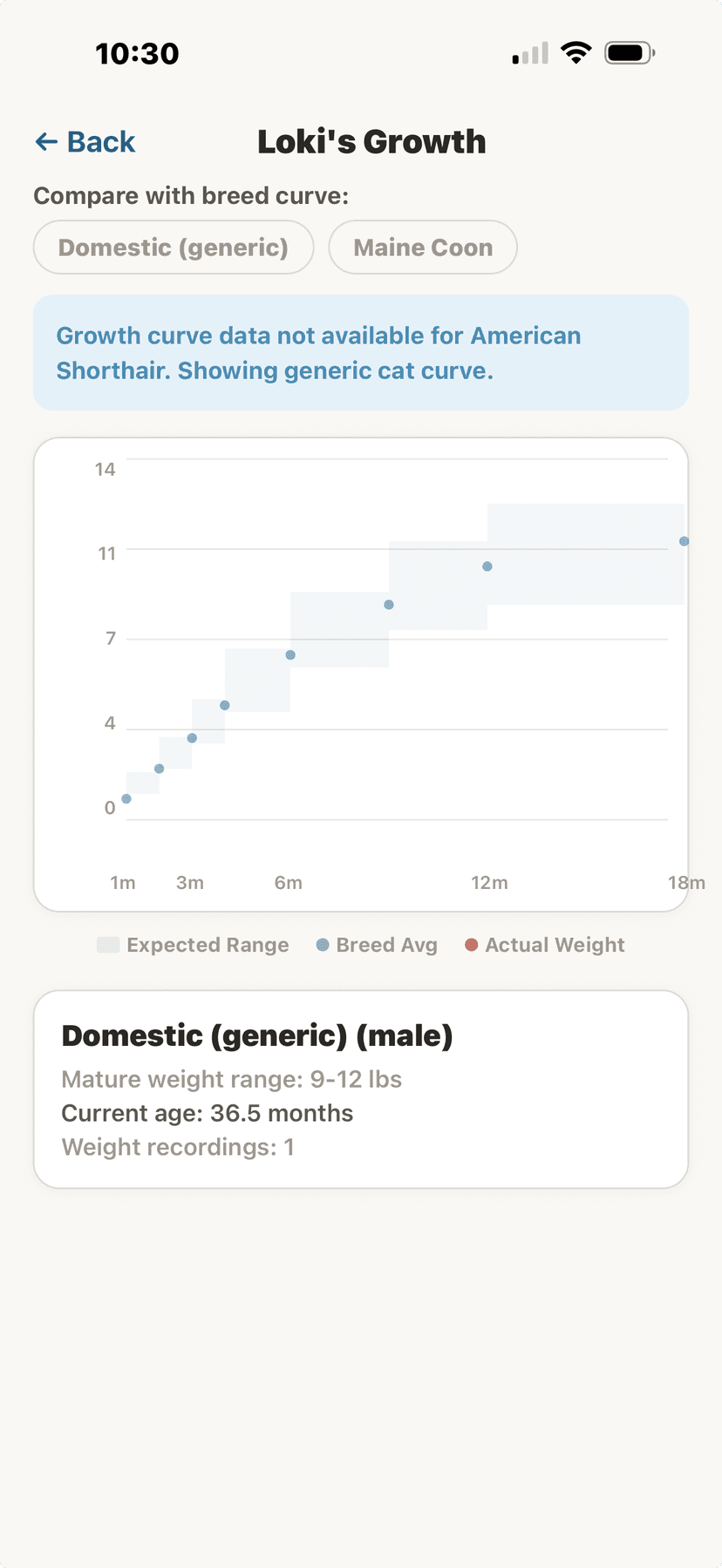
Growth curve compared to breed standard
📖Breed Health Database
AniLedger includes a comprehensive breed health database with 553+ diseases. For each breed, you can see:
- Common health conditions and their prevalence
- Recommended screening tests by age
- Genetic conditions specific to the breed
- Preventive care recommendations
💡
Access the breed health database from any animal's profile by tapping "Breed Health."
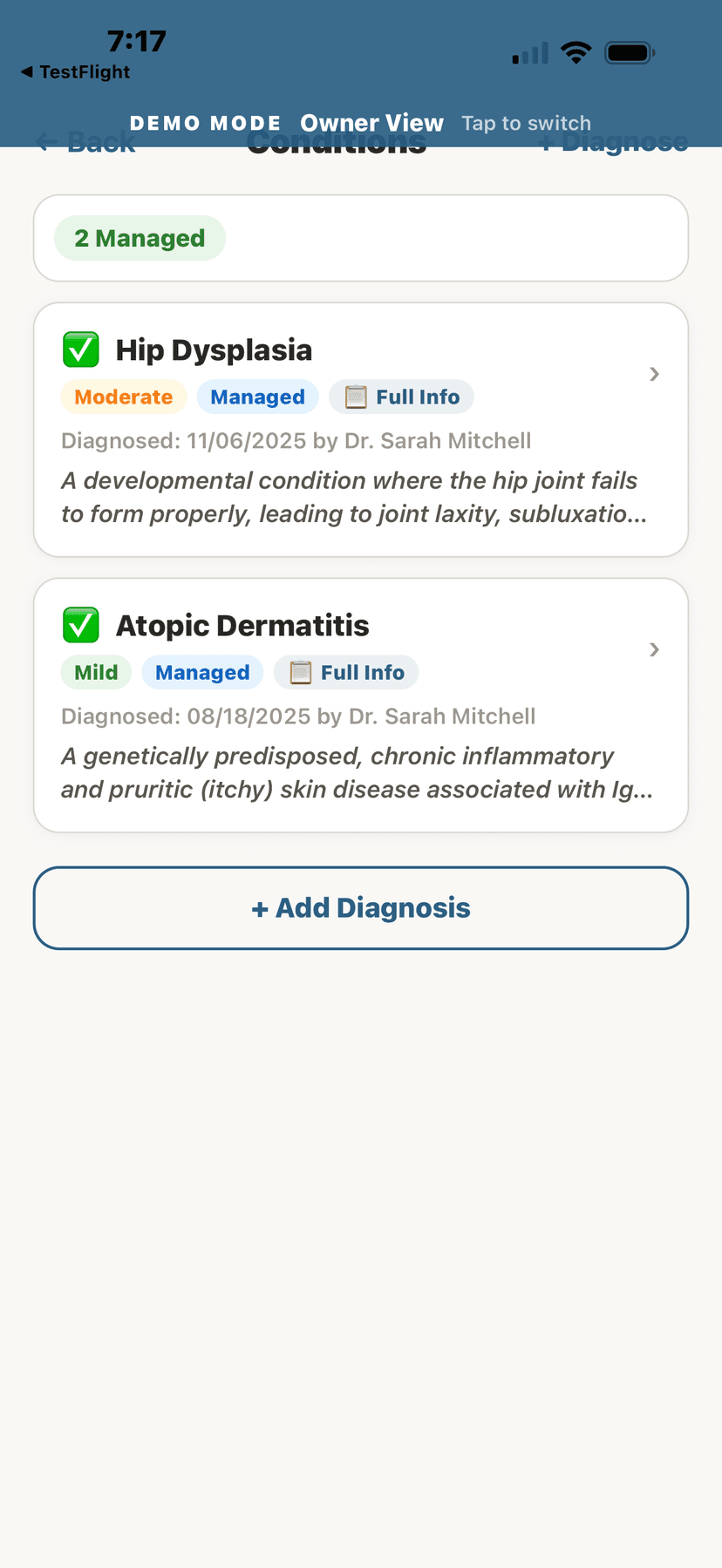
Diseases tracked for your animal
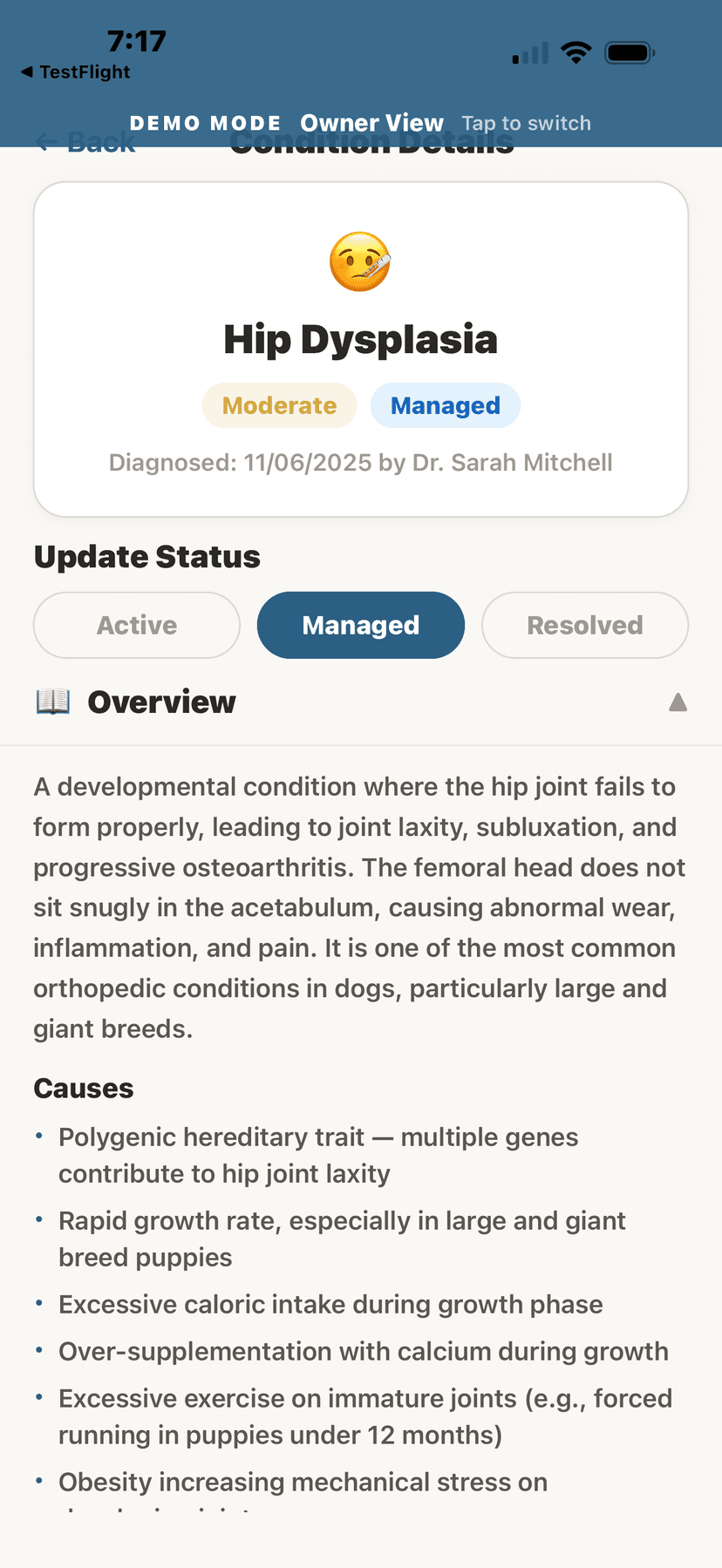
Disease overview with symptoms
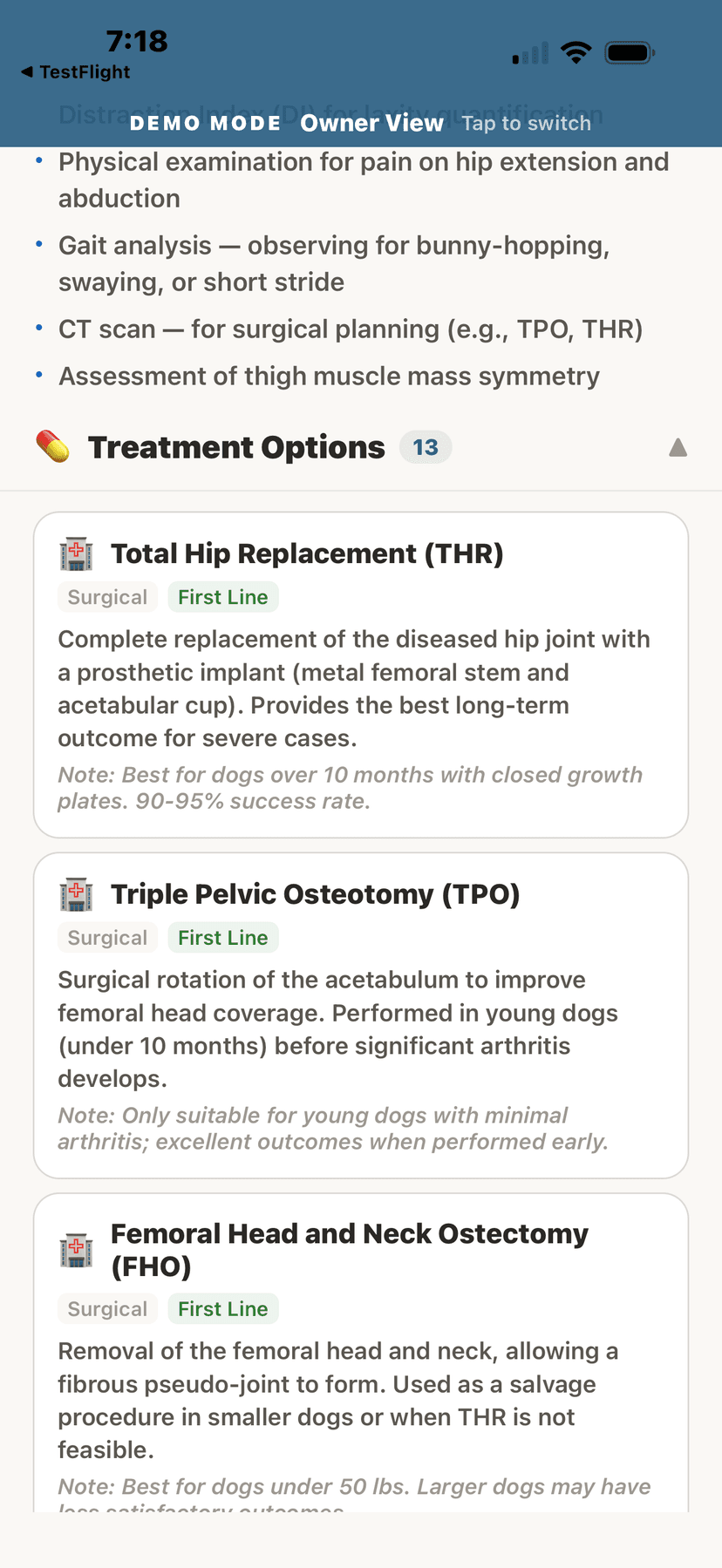
Treatment options
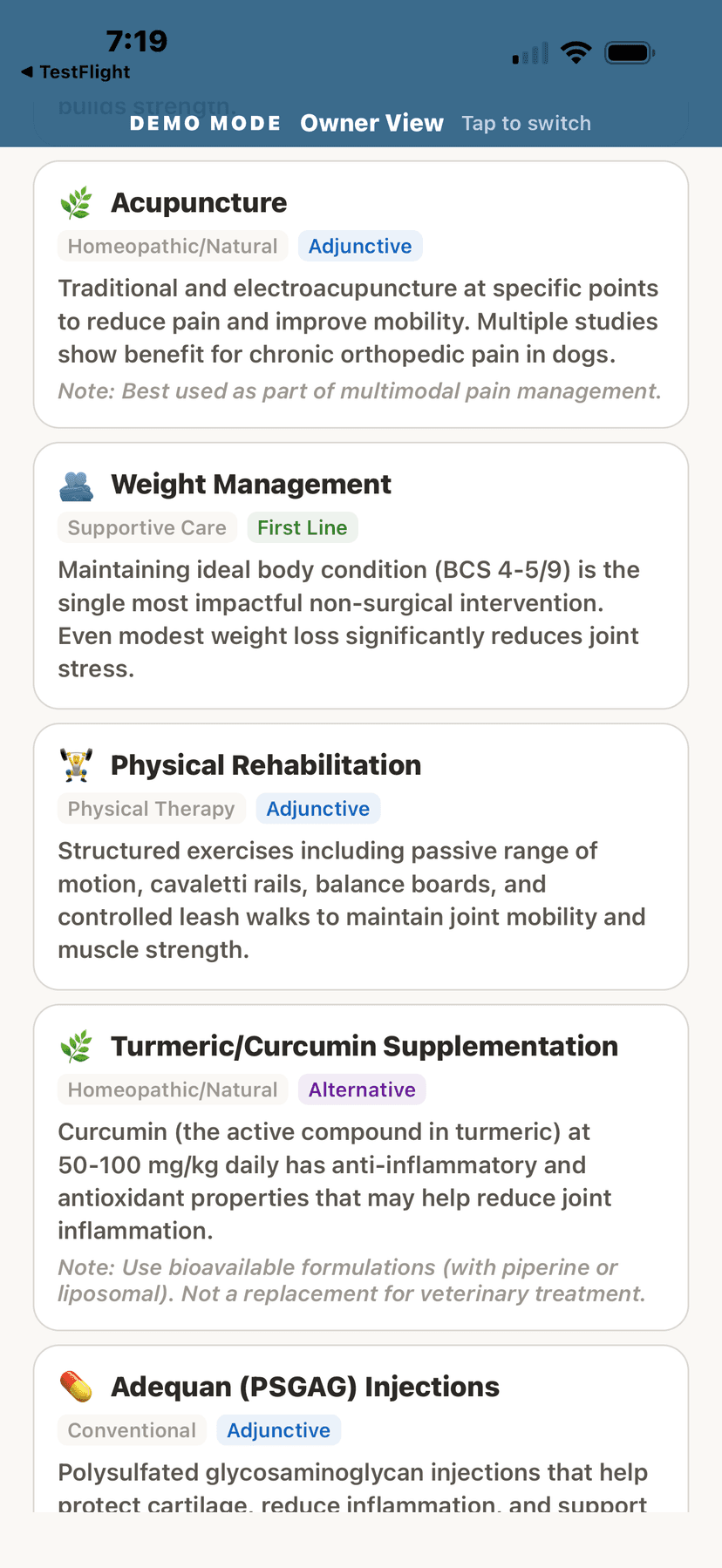
Home care instructions