📄
Documents & Export
Upload and organize documents, export records to PDF, and import data from spreadsheets.
📂Document Vault
Every animal has a digital document vault where you can store important paperwork. Documents are organized by category and sorted by date.
- Registration certificates
- Pedigree papers
- Health certificates
- Vaccination records from your vet
- Insurance documents
- Purchase/sale agreements
- Microchip registration
- DNA test reports
- Coggins test results (horses)
- Brand inspection certificates (livestock)
⬆️Uploading Documents
- From the animal's profile, tap "Documents."
- Tap "+ Upload Document."
- Choose the document source: camera (take a photo), photo library, or files.
- Select the document category from the dropdown.
- Add a title and optional notes.
- Tap "Upload" to save the document.
💡
Take clear, well-lit photos of paper documents. AniLedger stores the full-resolution image so every detail is readable.
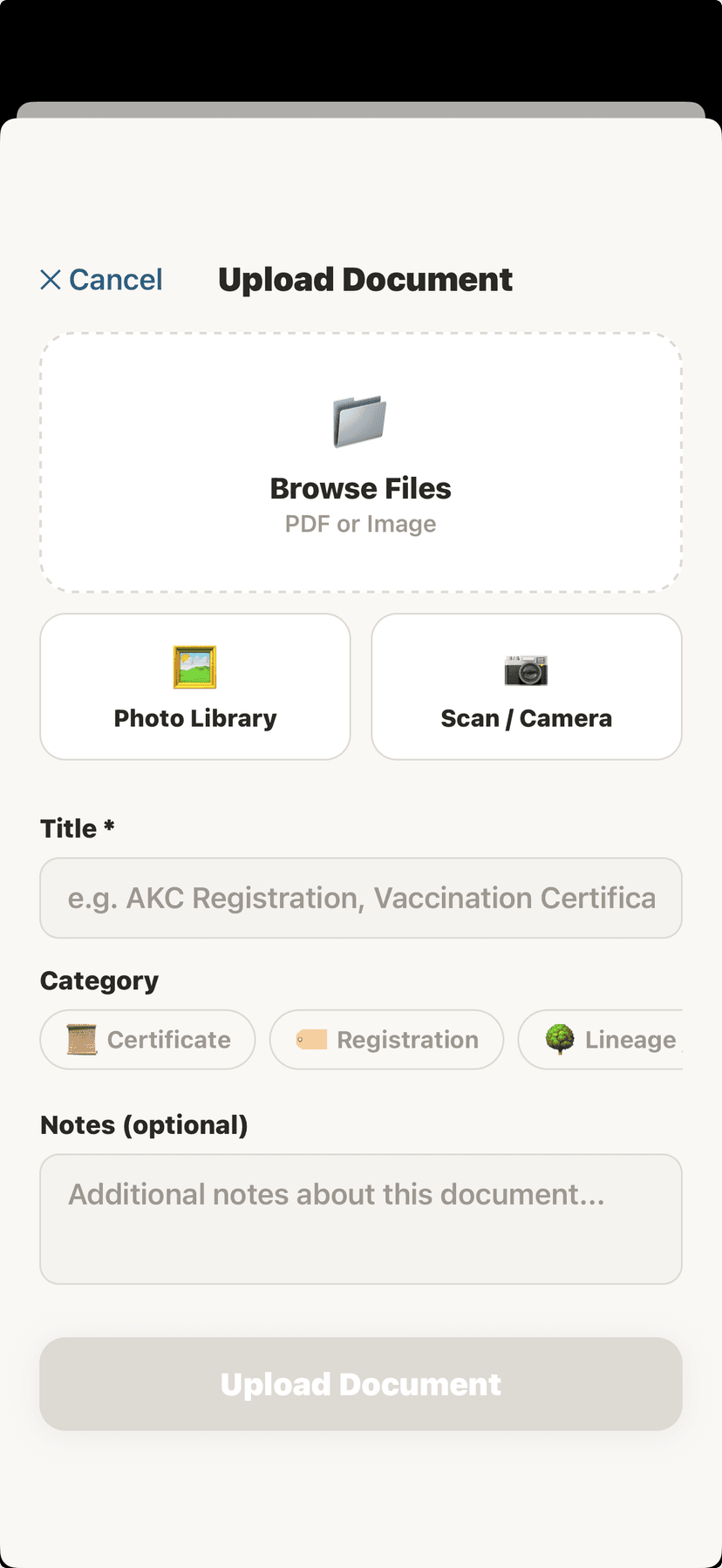
Document upload screen
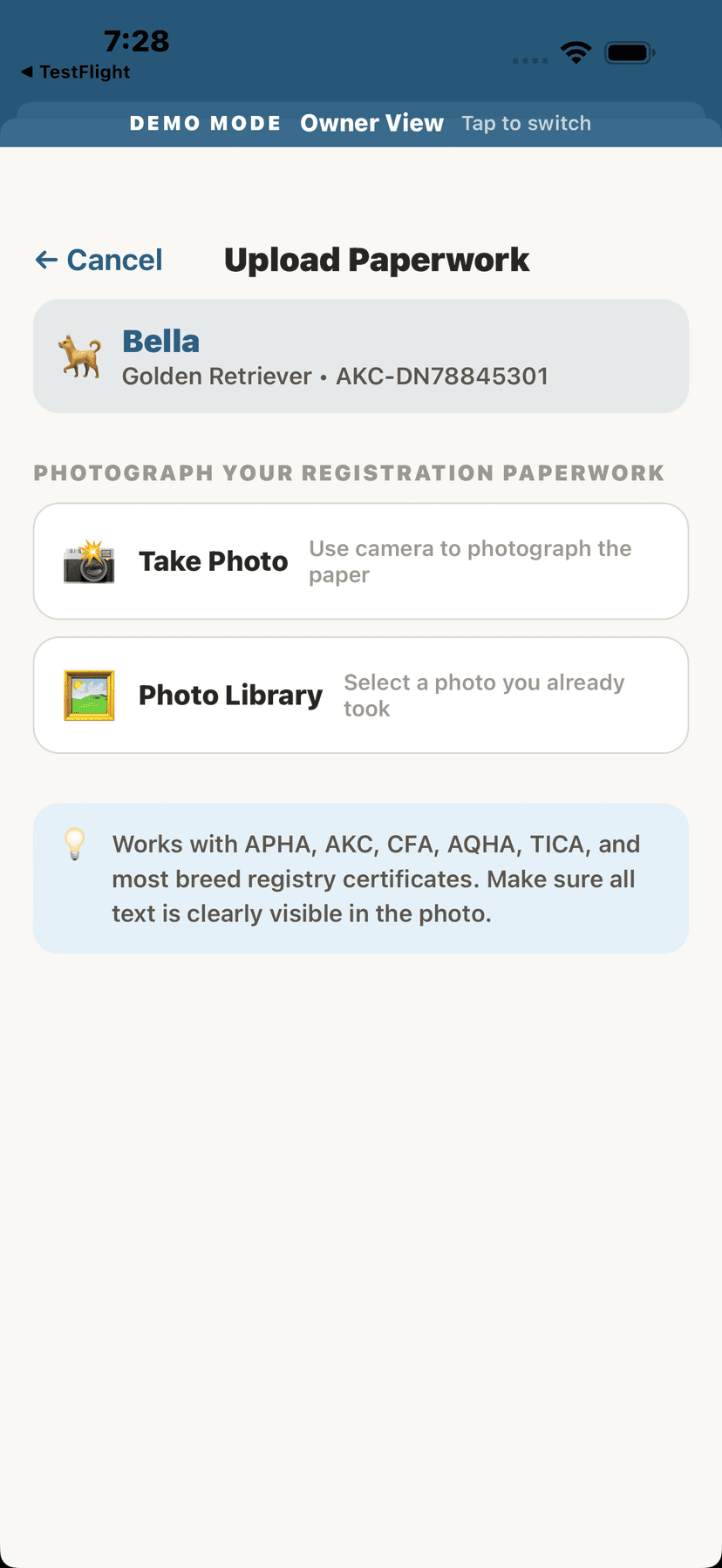
Upload registry paperwork with AI reading
👁️Viewing Documents
- Tap any document in the list to open the viewer.
- Pinch to zoom in on details.
- Use the share button to send the document via email, text, or AirDrop.
📤Exporting Records to PDF
- From the animal's profile, tap "Export."
- Choose what to include: health records, vaccines, medications, breeding history, pedigree.
- Select the date range (or "All Time").
- Tap "Generate PDF" — the file is created and ready to share or save.
PDF export is available on Homestead plans and above. CSV export is also available for spreadsheet-compatible data.
📥Importing Data from Spreadsheets
- Go to Settings and tap "Import Data."
- Select the file (CSV or spreadsheet) from your device.
- AniLedger reads the column headers and asks you to map them to the right fields.For example, map your "Pet Name" column to AniLedger's "Name" field, "DOB" to "Date of Birth," etc.
- Review the mapped data in the preview screen.
- Tap "Import" to add all animals and records at once.
💡
If you're migrating from another app or tracking system, CSV import saves hours of manual data entry.
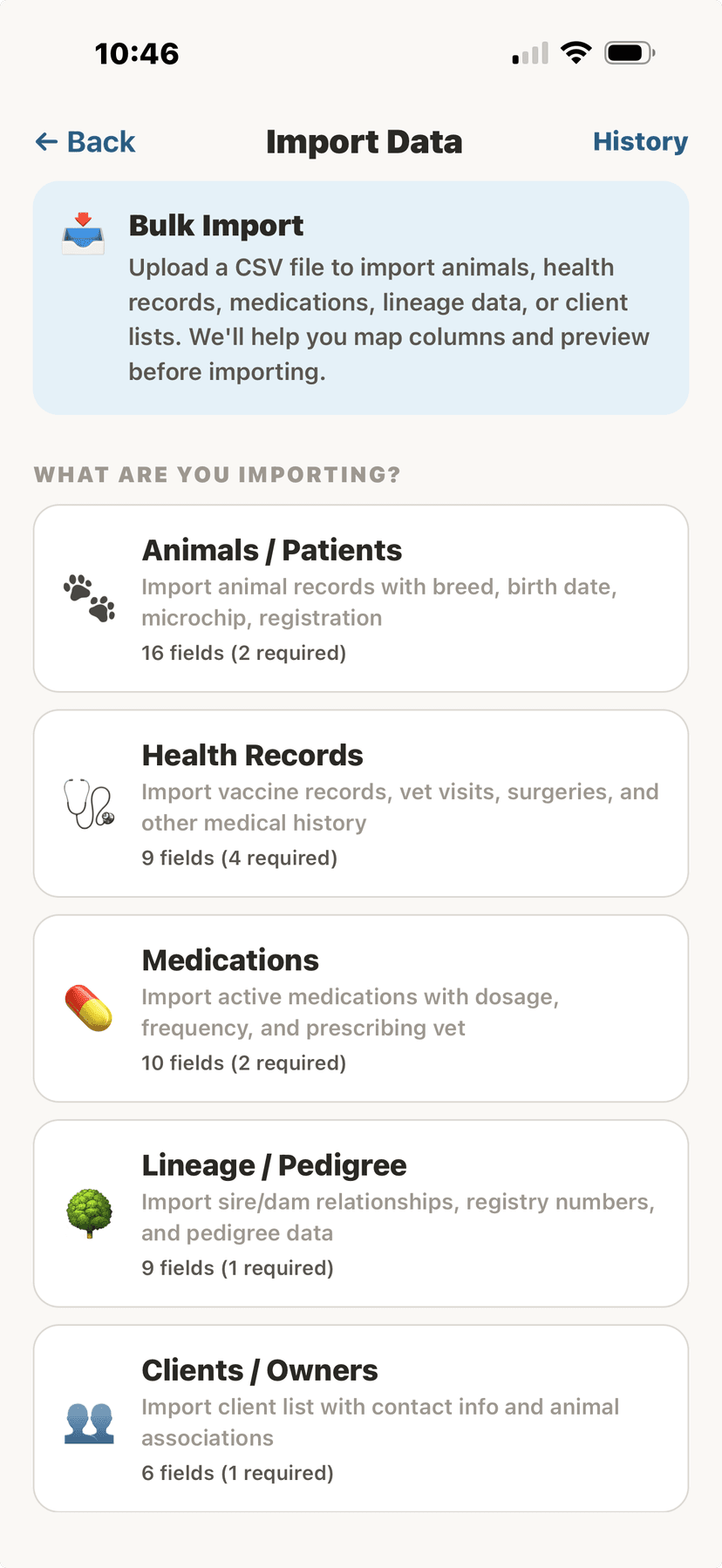
CSV import for animal data
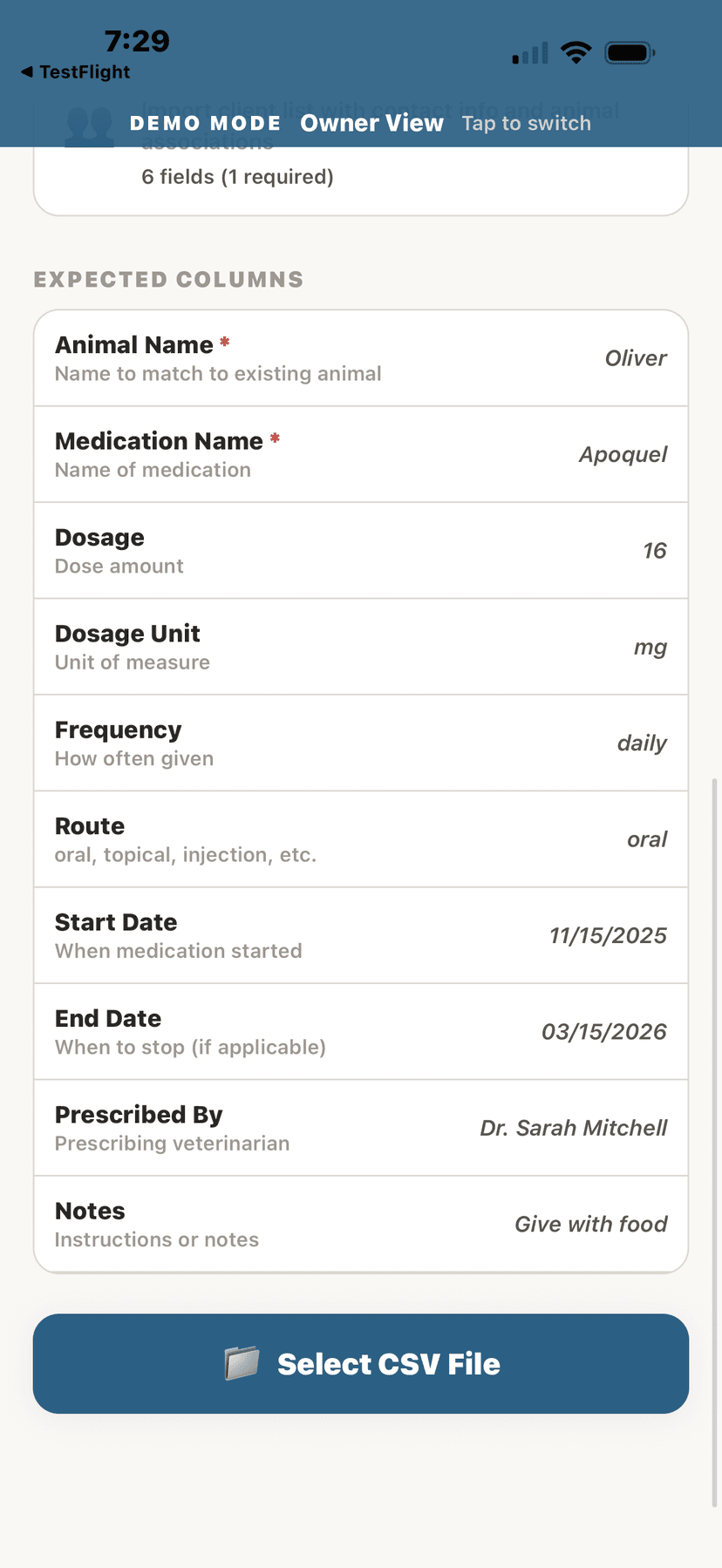
CSV import for medications